
What is account management in sales? It’s the strategic practice of nurturing and expanding relationships with existing customers to maximize their lifetime value. For B2B companies, this shifts the focus from transactional, one-off deals to building long-term, profitable partnerships.
For any B2B company using platforms like Salesforce or HubSpot, a robust account management function isn’t just a "nice-to-have"—it's an essential pillar of a sophisticated RevOps strategy. It directly fuels customer retention, unlocks expansion revenue, and creates sustainable, predictable growth.
Why Account Management Drives B2B Revenue Growth

If you're operating in a Salesforce or HubSpot environment, effective account management is the engine for scalable growth. It is more than a post-sale function; it is a strategic discipline that moves the business away from purely transactional selling. The primary objective is to become an indispensable partner in your clients' success—a goal where RevOps, Sales Ops, and Marketing Ops leaders see the most significant ROI.
The logic is straightforward: it costs significantly more to acquire a new customer than to retain an existing one. A well-engineered account management strategy directly addresses this by systematically increasing customer lifetime value (CLV) and reducing churn.
The Shift from Hunter to Farmer
Think of it this way: traditional sales often embodies the "hunter" model, focused on acquiring new logos. Account management is the "farmer," meticulously cultivating existing relationships to ensure a healthy, predictable harvest for years to come.
This "farming" extends beyond occasional check-in calls. It involves deeply understanding a client's business, anticipating their evolving goals, and proactively identifying how your solutions can deliver compounding value. This is where go-to-market (GTM) engineering, using tools like Clay.com and ZoomInfo to enrich account data, becomes a competitive advantage.
The market recognizes this value. Senior account management is a high-stakes role. For example, we've seen senior corporate account manager positions in the San Francisco Bay Area offering $205K-$330K, where the job is centered on managing C-suite relationships and driving revenue with AI and marketing technology. This mirrors the complex system integration and RevOps implementation work we specialize in at MarTech Do. You can explore more data on top-tier sales roles in California to see this trend.
This guide is your playbook. We will outline the processes, data structures, and team alignments required to transform your account management function into a predictable revenue center. We will focus on actionable frameworks you can implement within your Salesforce or HubSpot stack.
Tangible Business Outcomes
A well-architected account management program delivers measurable financial results.
Here’s what you can expect:
- Increased Expansion Revenue: A systematic process for identifying and closing upsell and cross-sell opportunities that were previously missed.
- Improved Net Revenue Retention (NRR): By minimizing churn and maximizing expansion, NRR becomes a powerful indicator of your company's health and scalability.
- More Accurate Forecasting: Deep client relationships provide clear visibility into renewal and expansion plans, making revenue predictions far more reliable.
- Stronger Customer Advocacy: Satisfied clients become your most effective marketers, providing the referrals, case studies, and testimonials that lower customer acquisition costs.
Building Your Account Segmentation and Coverage Model

A one-size-fits-all approach to account management is inefficient and costly. Treating a low-growth account with the same high-touch service as a strategic enterprise partner misallocates valuable resources.
The foundation of any high-performing account management in sales function is a data-driven segmentation and coverage model. This framework enables you to logically group customers and align the appropriate resources to each segment. The goal is to focus your most intensive efforts where they will have the greatest impact: on accounts with the highest potential for growth and retention.
Designing Your Segmentation Tiers
First, determine the criteria for grouping your accounts. The most effective models utilize a combination of quantitative data and qualitative factors. Relying solely on revenue provides an incomplete picture. For further insight, it's worth exploring different customer segmentation models to identify the best fit for your business.
Here are practical criteria you can build out using custom fields in Salesforce or HubSpot:
- Annual Recurring Revenue (ARR) or Contract Value: The classic starting point. Establish clear, non-overlapping revenue bands (e.g., Tier 1: >$100k, Tier 2: $25k–$100k, Tier 3: <$25k).
- Growth Potential: This is a forward-looking metric. Is the account in a high-growth industry? Did they recently secure funding? Use a simple picklist in your CRM (e.g., High, Medium, Low) to rate an account’s potential for upsell or cross-sell.
- Strategic Value: Some accounts offer value beyond their current contract. They may be a marquee logo in a new market or a consistent source of high-quality referrals. A simple checkbox field labeled "Strategic Account" can capture this attribute.
By layering these factors, you move beyond a flat, revenue-only view to a more strategic understanding of your customer base. This approach is fundamental to our system audits and RevOps implementation services. You can also explore these customer segmentation strategies for more ideas.
Mapping Coverage to Each Segment
Once segments are defined, the next step is to build the coverage model. This defines the actions, resources, and service levels for each tier, eliminating guesswork for your team.
A three-tiered model is a proven, effective structure for most B2B companies.
Tier 1: Strategic Accounts
These are your highest-value clients—high revenue, significant growth potential, and strategically critical. They receive high-touch, white-glove service.
- Coverage: A dedicated Account Manager with a focused portfolio of 10-20 accounts.
- Cadence: Bi-weekly check-ins, formal Quarterly Business Reviews (QBRs), and an annual strategic planning session involving executive sponsors.
- SLAs: A response time of under 4 hours for any issue.
Tier 2: Core Accounts
This segment represents the stable engine of your business, delivering consistent revenue and moderate growth potential.
- Coverage: An assigned Account Manager with a larger book of business, typically 40-60 accounts.
- Cadence: Monthly check-ins and semi-annual business reviews are standard. This can be supplemented with automation from tools like Account Engagement (Pardot) or HubSpot.
- SLAs: A standard 24-hour response time is appropriate.
Tier 3: Volume Accounts
This tier comprises your smaller accounts. While individual growth may be limited, their collective value is significant. Efficiency is the primary goal.
- Coverage: Managed by a pooled team or a junior coordinator in a "tech-touch" or "one-to-many" model.
- Cadence: Proactive engagement is almost entirely automated, including renewal reminders, new feature webinars, and a robust self-service knowledge base.
- SLAs: Support is managed through a help desk or community forum.
Implementing this model has a direct financial impact. In high-cost markets, this RevOps function is critical for B2B growth. Poor account data hygiene can cost companies 20-30% of their pipeline value. A well-defined segmentation model is your primary defense for protecting and growing revenue.
By building this structure within your CRM, you provide your team with clarity and ensure every customer receives the appropriate level of attention. It is a strategic allocation of your most valuable resource—your people—and the cornerstone of a scalable account management program.
Getting Your Tech Stack to Work for You
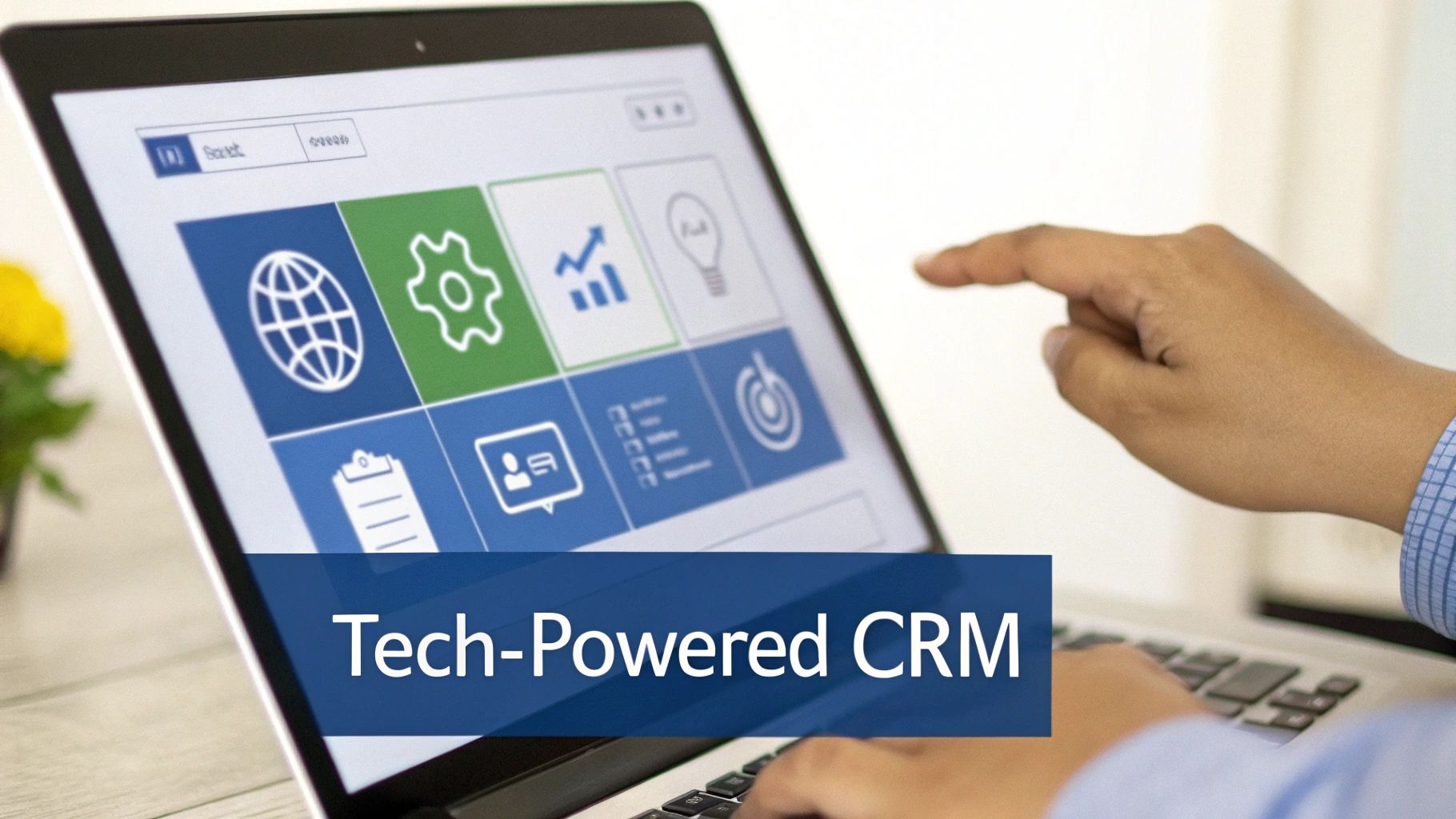
Your tech stack, particularly your CRM, is the operational heart of your account management strategy. A properly configured CRM transcends being a digital filing cabinet; it becomes a proactive system that flags opportunities and identifies risks before they escalate.
The objective is to establish a single source of truth that provides a complete, 360-degree view of every customer relationship. For businesses using Salesforce Sales Cloud or HubSpot Sales Hub, this requires moving beyond the default setup to design a system optimized for post-sale success. Your CRM must work for your account managers, not against them.
Building a 360-Degree Customer View in Your CRM
Effective account management in sales begins with clean, organized data. While standard Account, Contact, and Opportunity objects are the starting point, true optimization requires custom fields that track relationship health and growth potential.
These custom fields act as vital signs, giving your team the immediate insights needed to make proactive decisions without sifting through historical communications.
Here are a few custom fields our RevOps team implements in Salesforce or HubSpot for our clients:
- Customer Health Score: A formula or picklist (e.g., Green, Yellow, Red) that aggregates key indicators like product usage data, support ticket volume, and NPS scores. This is your earliest warning system for churn.
- Last Meaningful Contact Date: A date field that updates automatically after a significant interaction—such as a QBR or strategy call—not just any email. This quickly reveals which accounts are being neglected.
- Whitespace Potential: A currency field to estimate the untapped expansion revenue within an account. This helps your team focus upsell and cross-sell efforts where the ROI is greatest.
- Key Stakeholder Mapping: Custom contact roles or fields to identify your "Champion," "Economic Buyer," and "Blocker." Knowing these roles is critical during renewal or expansion conversations.
This is precisely where a skilled RevOps team demonstrates its value. In competitive markets like Los Angeles, account managers are crucial for B2B growth. While the average salary for an Account Manager in LA is around $76,269 annually, top performers significantly exceed this by hitting growth targets. Across 50+ projects at MarTech Do, we have seen how a well-configured account management process—supported by a smart CRM setup—can be tied to over $2M in client revenue. This shows how high-earning managers who drive 20-30% account growth more than justify their compensation. You can review more LA-based sales salary benchmarks on Built In.
Your CRM's data architecture is not just an administrative task—it's the blueprint for your entire account management program. A well-designed structure gives your team the clarity needed to focus on high-impact activities.
Using Automation to Drive the Right Actions
A well-structured CRM is powerful, but layering intelligent automation on top of that data foundation is a game-changer. With tools like HubSpot's Workflows or Salesforce's Marketing Cloud Account Engagement (MCAE), you can configure triggers that automatically prompt your team to take the right action at the right time.
This is how you scale a high-touch, personalized experience without overwhelming your team. The system itself becomes a proactive partner, eliminating reliance on manual reminders. For companies seeking customizable solutions, exploring options like White Label CRM Software can provide additional flexibility.
Consider implementing these high-impact automated workflows:
- Renewal Nudges: Automatically create a task for the account manager 90 days before a contract's expiration date. The task should include a checklist for renewal preparation, such as scheduling a strategy session and generating a performance report.
- Engagement Spike Alerts: If a key contact from a strategic account visits your pricing page or downloads a case study on a different product, trigger an instant notification to the account manager. Automation captures these buying signals in real time.
- Onboarding Milestone Tracking: Build a workflow that assigns tasks to the AM as a new customer progresses through their first 90 days, ensuring a smooth and consistent onboarding experience.
- Health Score Warnings: The moment an account's health score drops from "Green" to "Yellow," automatically create a high-priority task for the manager to investigate and schedule a check-in. This shifts your team from reactive problem-solving to proactive relationship management.
When these processes are built directly into your marketing operations and sales operations tech stack, you reduce friction, eliminate manual errors, and empower your team to focus on building strong, profitable, and lasting customer relationships.
Mapping the Seamless Customer Journey and Handoffs

An optimized tech stack is ineffective if your human processes are flawed. This is most evident during the critical handoff of a new customer from sales to account management. A poorly executed transition can undermine even the most sophisticated Salesforce automation.
A rock-solid, repeatable handoff process is essential for effective account management in sales.
The initial transition from the Account Executive who closed the deal to the Account Manager responsible for nurturing the relationship is the first test of your post-sale customer experience. A clumsy handoff creates immediate friction, forcing the client to repeat information and eroding the trust your sales team worked to build.
Conversely, a smooth transition demonstrates operational excellence and sets the stage for a long, profitable partnership.
The Anatomy of a Flawless Sales-to-Account-Management Handoff
The handoff must be a formal, documented procedure integrated into your CRM, automatically triggered when an opportunity is marked "Closed Won."
This process should initiate a clear information transfer checklist and an internal meeting.
A successful handoff checklist must include:
- Original Pain Points and Goals: What problem was the client trying to solve? What specific success metrics were discussed?
- Key Stakeholder Map: Who is the economic buyer, the internal champion, and the day-to-day contact?
- Contractual Details: Beyond the renewal date, this includes specific SLAs, negotiated features, and other custom terms.
- The "Why Us" Factor: What was the decisive reason they chose your solution over competitors? This context is invaluable for the Account Manager.
This process is about transferring the relationship's history and momentum, not just data. For a deeper dive into visualizing this lifecycle, our guide on B2B customer journey mapping provides a useful framework.
The internal handoff meeting is where critical nuance is shared. This is the Account Executive’s opportunity to convey insights that don't fit into a CRM field, such as, "The CFO is focused on ROI, but the marketing director is your true champion. Earning their trust will secure long-term advocacy."
Clarifying Roles to Create a Cohesive Post-Sale Team
As customer relationships mature, more internal team members become involved. Role ambiguity is a common friction point; when a client is unsure who to contact for specific issues, they become frustrated, and your organization appears disorganized.
Clear role definitions are crucial to prevent internal conflicts and ensure clients receive prompt, expert assistance. It is essential to delineate the responsibilities between commercially-focused Account Managers and adoption-focused Customer Success Managers.
Role Clarity Matrix Account Management vs Customer Success
Here is a simple yet effective way to define these roles, ensuring a seamless customer experience.
| Responsibility Area | Account Manager (Commercial Focus) | Customer Success Manager (Adoption Focus) |
|---|---|---|
| Primary Goal | Drive long-term revenue growth and retention. Owns the commercial relationship. | Drive product adoption and ensure the client achieves their desired business outcomes. |
| Key Activities | Manages contract renewals, identifies and closes upsell/cross-sell opportunities, conducts QBRs. | Manages onboarding, provides best-practice training, monitors product usage and health scores. |
| Core KPIs | Net Revenue Retention (NRR), Expansion Revenue, Customer Lifetime Value (CLV). | Product Adoption Rate, Time to First Value (TTFV), Customer Satisfaction (CSAT). |
| Typical Conversation | "Based on your growth, let's discuss how adding our analytics module can impact your ROI." | "I noticed your team isn't using the reporting feature; let's schedule a workshop to show you how it works." |
The third pillar is the Support team, which is laser-focused on reactive, technical problem-solving through a ticketing system.
When these roles are clearly documented, you create an internal system where each team member leverages their strengths. The customer knows exactly who to turn to, and your teams can collaborate effectively to deliver maximum value.
Measuring What Matters: Key Account Management KPIs
As the saying goes, "If you can't measure it, you can't improve it." In revenue operations, this is a fundamental principle. To demonstrate the value of your account management team, you must move beyond anecdotal evidence and focus on hard numbers—Key Performance Indicators (KPIs).
For leaders in RevOps, marketing, or sales operations, these metrics do more than justify the team's existence. They illuminate the path forward, helping you identify at-risk accounts, pinpoint expansion opportunities, and make data-driven decisions that foster predictable growth.
Core KPIs for Account Management Success
While dozens of metrics can be tracked, a select few tell the most important story about the health of your account management program. These KPIs should be featured prominently on your main Salesforce or HubSpot dashboards.
- Net Revenue Retention (NRR): This is the holy grail for subscription-based businesses. It measures the percentage of recurring revenue retained from existing customers over a period, incorporating both expansion revenue and churn. An NRR over 100% indicates that growth from your existing customer base is outpacing revenue loss.
- Gross Revenue Retention (GRR): This metric provides the purest measure of customer loyalty, showing how much revenue you would have retained without any upsells. A high GRR is a strong indicator of product stickiness and customer satisfaction.
- Expansion Revenue (MRR/ARR): This is the engine of account growth. It represents all new monthly or annual recurring revenue generated from existing customers through upsells, cross-sells, or add-ons. It is a direct reflection of your team's ability to create and capture new value.
Establishing these foundational metrics is critical. For more ideas, our comprehensive list of valuable sales performance metrics offers additional insights.
Building Your KPI Dashboards in Salesforce and HubSpot
Defining KPIs is the first step; building the systems to track them is where a skilled RevOps professional proves their worth. The goal is to create dashboards that provide a clear, at-a-glance view of both account health and team performance.
In Salesforce, this involves building custom reports and dashboard components that pull data from Opportunity, Account, and any relevant custom objects. You will likely need formula fields on the Account object to calculate metrics like NRR by rolling up data from related renewal and expansion opportunities.
In HubSpot, you can achieve the same results using the report builder. Utilize custom properties on Company and Deal records for tracking key dates and expansion potential. HubSpot's calculation properties are particularly useful for creating real-time metrics like a Customer Health Score without complex configurations.
From my experience: Create a dedicated "Account Management Performance" dashboard that every RevOps and sales leader reviews weekly. This is not just for executive reporting; it's a vital tool for real-time coaching and strategic adjustments.
Essential Dashboard Components for Your Weekly Review
Your weekly dashboard should be designed for action, not just observation. It must provide immediate answers to two critical questions: "Which accounts require our attention now?" and "Where are our biggest growth opportunities?"
Here are the non-negotiable components:
- Accounts at Risk Report: A filtered list of all accounts with a "Yellow" or "Red" health score. Include columns for the Account Manager, renewal date, and last contact date to prioritize outreach.
- Upcoming Renewals (Next 90 Days): A report of all contracts renewing in the next quarter, sorted by ARR. This prevents missed renewals and helps the team focus on high-value accounts.
- Expansion Pipeline by Stage: A classic funnel view of all open upsell and cross-sell opportunities. This provides a clear forecast for expansion revenue and helps managers identify stalled deals.
- NRR by Account Manager Leaderboard: This component displays the Net Revenue Retention for each team member. It fosters healthy competition and, more importantly, helps identify top performers for knowledge sharing and those who may need additional coaching.
By consolidating these reports into a central dashboard, you transform raw data into a powerful decision-making engine. It enables your account management in sales team to move from reactive fire-fighting to proactive, strategic planning, securing renewals and driving the expansion revenue that defines sustainable B2B growth.
Answering Your Top Account Management Questions
When building out an account management function, numerous questions arise. As a RevOps or Sales leader, you are likely focused on compensation, team structure, and technology. Here are practical answers to the most common questions.
How Should We Pay Our Account Managers?
Designing the right compensation plan for account managers is critical. You need to incentivize both client retention and expansion revenue. An imbalance can lead to undesired behaviors.
A split-incentive model is often most effective. A solid starting point is:
- Tie 60-70% of their variable compensation to Net Revenue Retention (NRR). This single metric effectively rewards both churn mitigation and upsell success.
- Link the remaining 30-40% to specific expansion goals, such as a direct expansion revenue target, securing multi-year contracts, or obtaining a high-profile case study.
This structure keeps your team focused on protecting the existing revenue base while actively pursuing growth.
A common mistake is tying compensation almost entirely to retention. While this seems safe, it often fosters a team of passive, reactive problem-solvers. Your goal is to cultivate proactive growth drivers, and the compensation plan is your primary tool to achieve this.
How Many Accounts Can One Manager Realistically Handle?
There is no single magic number. The appropriate portfolio size depends entirely on the account tier and the promised level of service.
Consider a tiered approach:
- Strategic Accounts: For top-tier clients requiring deep, executive-level engagement, a portfolio of 10-25 accounts is optimal. This allows sufficient time for comprehensive QBRs and genuine relationship building.
- Core Accounts: For the mid-market segment, where you blend personal interaction with some automation, a range of 40-70 accounts is typically manageable.
- Volume Accounts: For hundreds of smaller clients, a tech-touch strategy is essential. A single manager or a small team can oversee a large book of business, but only with powerful automation tools like Salesforce Account Engagement or HubSpot to deliver value at scale.
How Can We Actually Use AI to Help Our AMs?
AI is no longer a buzzword; it is a practical tool for account management teams. Its value lies not in replacing managers but in making them more intelligent and efficient.
For example, AI-powered sentiment analysis can scan customer emails, support tickets, and call transcripts to flag accounts showing early signs of dissatisfaction, often before a customer formally complains. This enables your AM to intervene and resolve issues proactively.
Furthermore, predictive analytics within your CRM can analyze product usage and customer data to identify accounts most likely to churn—or, even better, those ripe for an upsell. This transforms your team from a reactive unit into a data-driven, strategic force that knows precisely where to focus its energy.
Ready to build an account management function that actually drives predictable revenue? MarTech Do specializes in turning your Salesforce and HubSpot stacks into a finely tuned machine for elite RevOps, marketing, and sales. Let's talk about turning your account management strategy into a growth engine.