Ever feel like your campaign ROI is a ghostly apparition you can’t quite prove? Welcome to the haunted house of marketing attribution. In this eerie world, Salesforce Campaign Influence is your ghost-hunting kit—the tool you need to reveal the invisible forces driving your pipeline. It’s what connects your marketing spells (campaigns) to the treasure you’re after (closed-won opportunities).
Without it, you’re basically stumbling through a graveyard at midnight with no flashlight. You might hear whispers of success, but you can’t prove which spirits are friendly and which are just rattling chains.
Unmasking the Ghosts in Your Revenue Machine

Think of Salesforce Campaign Influence as the bridge connecting your marketing séances directly to sales opportunities. It’s the mechanism that shows you which marketing efforts actually conjured up revenue. It moves beyond just crediting the very last thing a prospect did before a deal was sealed. Instead, it assigns influence to multiple campaigns that engaged a prospect throughout their entire spooky journey with your brand.
The Horror of Single-Touch Attribution
So many marketing and RevOps teams are haunted by the most terrifying ghoul of all: the Last-Touch Phantom. This painfully simplistic model gives 100% of the credit to the final marketing touchpoint before a deal was created.
Imagine this chilling scenario: a prospect attends a webinar, downloads a cursed e-book, and engages with three email nurtures over six months. Then, they finally click a “Request a Demo” ad. The Last-Touch Phantom completely ignores all those earlier, crucial encounters and gives full credit only to that final ad click.
This kind of thinking leads to some truly horrifying outcomes:
- The Vanishing Budget: Top-of-funnel campaigns that build awareness, like that webinar, look worthless on paper. Their budgets get slashed first, vanishing into the mist.
- The Zombie Campaign: Bottom-of-funnel activities, like the demo ad, look like monstrous successes. They get endless funding, even if earlier efforts did all the heavy lifting.
- The Crypt of Misalignment: Sales and marketing become ghouls pointing fingers in the dark, unable to agree on what truly drives the business forward.
How Campaign Influence Exorcises the Ghosts
Salesforce Campaign Influence banishes these phantoms by shining a bright light on the entire customer journey. It lets you see every campaign that touched a contact on a deal, giving you a complete spectral reading of your marketing’s real impact. For a deeper look into how campaigns drive revenue in the Salesforce ecosystem, you might find this article on Salesforce Marketing Attribution helpful.
This is especially critical for complex B2B sales cycles where the journey from prospect to customer is long and winding. By linking opportunities back to campaigns with built-in attribution models, businesses can assign credit percentages to multiple touchpoints instead of just the last one. The result is a much more accurate picture of what truly influences a sale.
By adopting this approach, you can finally prove the value of every single spell in your marketing grimoire. To really get into the mechanics, check out our guide on what is multi-touch attribution.
Brewing Your Potion: Setting Up Campaign Influence Models

Alright, now that we’ve covered the ghouls and ghosts, it’s time to roll up our sleeves and start brewing. Setting up Campaign Influence isn’t just a technical task; it’s the foundation for all your future ROI reporting. A misstep here can lead to cursed data and reports that don’t make sense, forcing you to chase down attribution ghosts later.
Let’s walk through the setup process step-by-step to make sure you get it right the first time.
The First Incantation: Enabling Campaign Influence
Before you can start tracking which marketing efforts are raising spirits (and revenue), you need to officially turn on the feature in Salesforce Setup. Think of this as drawing the magic circle for clean, trustworthy attribution.
Here are the key steps to get started:
- Activate the Feature: Head over to Setup and search for Campaign Influence Settings. This is where you flick the switch to bring attribution magic into your org.
- Pick a Default Model: Salesforce will ask you to select a default model. The standard “Salesforce Model” is the most common starting point, typically giving 100% of the credit to the primary campaign on the opportunity.
- Turn On Additional Models: Don’t just stop at the default. Make sure you enable the other standard models like First Touch and Last Touch. This lets you compare different attribution perspectives right from the get-go.
A quick warning from the crypt: Just enabling the feature won’t magically fix your attribution. If your campaign data is a mess or your team isn’t consistently linking contacts to opportunities, you’ll end up with confusing, incomplete reports. Garbage in, garbage out.
Setting the Rules for Auto-Association
Once Campaign Influence is enabled, you need to tell Salesforce how to automatically link campaigns to new opportunities. These auto-association rules are critical for catching every relevant touchpoint without manual effort, like a ghost net.
You can set a timeframe for this association. For instance, you might configure it to automatically associate any campaign a contact interacted with within 90 days before an opportunity was created. This simple rule ensures that recent, relevant marketing touches are always captured, preventing leads from becoming attribution-less ghosts in your system.
Standard Models vs. Custom Curses
You have a choice to make: stick with Salesforce’s ready-made potions or brew your own custom curses from scratch.
- Standard Campaign Influence: This is your out-of-the-box spellbook. It includes the basic models like Primary Campaign, First Touch, and Last Touch. It’s a fantastic place to start, but you might find it a bit limited as your needs grow.
- Customizable Campaign Influence: This is where the real dark arts begin. With this feature, you can create your own attribution models from the ground up, assigning different weights to different touchpoints. For example, you could build a multi-touch model that gives more credit to a high-intent action like a demo request than a simple newsletter click.
The ability to create custom models, especially in Lightning Experience, has been a game-changer for many RevOps teams looking to dial in their revenue attribution. It allows admins to tailor models to their unique business logic, which leads to much more accurate campaign ROI and smarter budget decisions. For a deep dive, check out the official implementation guide on Salesforce Docs.
So, which path is right for you? If you have a short sales cycle with just a few marketing touches, the standard models will probably do the trick. But for complex B2B journeys with dozens of interactions, a custom model is almost essential to truly understand what’s driving revenue. This is where having a well-oiled tech stack really pays off. If you need some guidance there, explore our insights on CRM and marketing automation integration.
Horror Stories from the RevOps Crypt

Gather ‘round the campfire, RevOps adventurers, and listen to the blood-curdling tales of those who dared to ignore the spirits of attribution. These aren’t just spooky stories; they are cautionary legends whispered in the haunted halls of boardrooms where marketing ROI has vanished without a trace. When Salesforce Campaign Influence is neglected, real monsters emerge from the data crypt.
These chilling accounts show what really happens when attribution goes wrong. We’re talking wasted marketing spend, a monstrous gap between sales and marketing, and that terrifying moment when leadership loses faith in your marketing magic. Let’s unearth some of the most gruesome tales.
The Legend of the Phantom Pipeline
Our first story begins at a fast-growing B2B tech company. Their marketing team, a coven of brilliant witches and warlocks, conjured up a powerful spell: a multi-channel campaign with a high-value webinar, an insightful e-book, and a targeted ad sequence. The incantation worked beautifully—leads poured in, and the sales team soon reported a pipeline swelling with millions in new opportunities.
But a horrifying curse was at play. Because no one had properly configured Salesforce Campaign Influence settings, none of the campaigns were actually linked to the new opportunities. To everyone outside of marketing, the pipeline appeared as if summoned from thin air.
When the CMO went to the CFO to ask for more budget, she was met with a bone-chilling question: “Where did this pipeline come from?” Marketing couldn’t prove their spells had worked. The data showed zero marketing-sourced or influenced revenue. The pipeline became a phantom, a ghost of its former self, and the marketing budget was tragically slashed, vanishing into the mist.
The Lesson from the Crypt: Without connecting campaigns to opportunities, marketing’s contribution becomes invisible. A proper Campaign Influence setup acts as the binding ritual that proves marketing’s magic, ensuring every dollar of influenced revenue is accounted for.
The Curse of the Zombie Campaign
In another dark corner of the RevOps world, a marketing team was haunted by a different kind of monster: the Zombie Campaign. This particular campaign—a costly, high-profile trade show sponsorship—had been running for years. It just kept shambling on, consuming a huge chunk of the budget each quarter, but no one could prove if it was actually doing anything.
The team suspected it was a dud. The leads felt cold, and the anecdotal feedback was grim. Yet, without solid attribution data, they had no silver bullet to put it down for good. So the campaign just kept coming back, reanimated by the annual budget cycle.
Because they lacked a proper Salesforce Campaign Influence model, they couldn’t compare its ROI against other, more nimble digital campaigns that were secretly driving immense value. The Zombie Campaign continued to feast on their budget, draining resources that could have funded far more potent initiatives. It was a slow, agonizing death for their marketing ROI.
The Haunting of Misaligned Teams
Our final tale is a classic ghost story of two teams haunting the same house but never speaking the same language. The sales team, armed with their trusty Ouija board of “gut feelings,” claimed all the best deals came from their own cold outreach. Meanwhile, the marketing team pointed to their crystal ball of vanity metrics—clicks, downloads, and webinar attendees—insisting their efforts were summoning the right spirits.
They were both lost in a thick fog of assumptions. Sales couldn’t see the dozens of marketing touches that warmed up a prospect before a call, and marketing couldn’t see which of their efforts actually led to a signed contract.
This misalignment created a truly toxic environment. Resentment grew, collaboration died, and forecasting became a terrifying guessing game. The entire revenue engine sputtered, haunted by the ghosts of missed opportunities and finger-pointing. They were all working in the same CRM but living in different, haunted worlds.
- The Aftermath: With no shared source of truth from attribution, neither team could learn from the other. Sales missed valuable insights on which accounts were already engaged, and marketing kept casting spells into the void, unsure of what was truly working.
These horror stories all share a common moral. Neglecting campaign influence in Salesforce isn’t just a minor technical oversight; it’s an invitation for ghosts, ghouls, and zombies to wreak havoc on your revenue operations. By setting up your attribution correctly, you can banish these monsters for good, bringing light to the darkness and proving the true power of your marketing craft.
Divining the Future: Building Reports and Dashboards
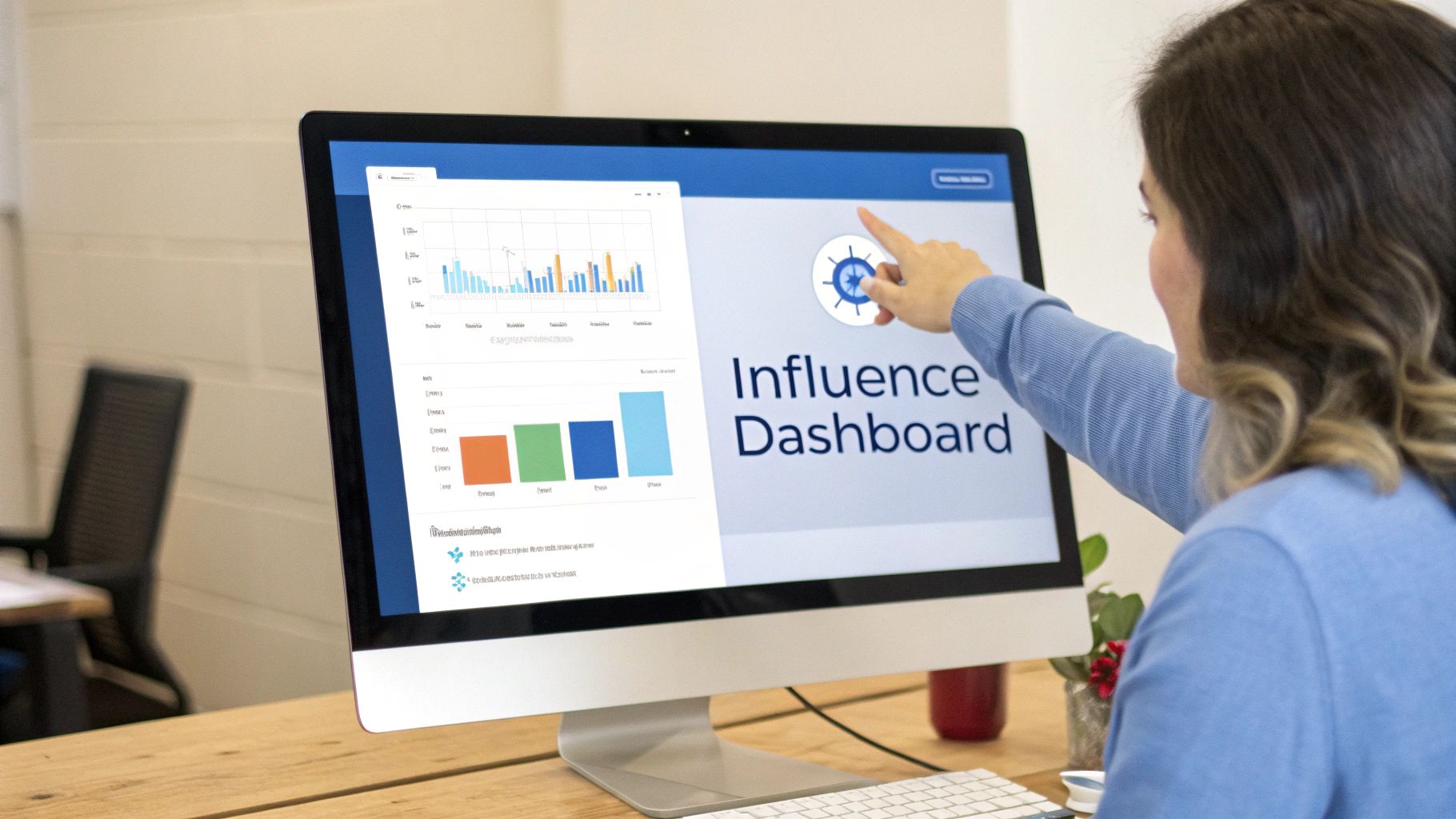
Once your attribution spells are working and the data is clean, it’s time to gaze into the crystal ball. This is where the real magic happens—transforming raw influence data into a compelling story that showcases marketing’s impact. A dashboard is more than just a collection of charts; it’s your command centre for seeing which campaigns are summoning results and which ones are just rattling chains.
This is how you finally get concrete answers to the “what’s the ROI?” question. By building the right reports and dashboards, you can confidently field questions from leadership, justify your budget, and guide future strategy with solid evidence.
Your First Séance with Reports
The best place to start is with Salesforce’s standard report types. Think of these as your foundational tarot cards, designed to give you a clear, immediate view of how your marketing efforts connect to pipeline and revenue. Don’t overlook their simplicity; a well-built standard report can uncover some powerful secrets right out of the box.
Begin with these two essential reports:
- Campaigns with Influenced Opportunities: This is your go-to report. It draws a direct line from your marketing campaigns to both open and closed-won opportunities, giving you a clear picture of marketing-influenced revenue.
- Campaigns with Campaign Members and Opportunities: This report lets you get more granular. You can see the specific individuals who engaged with a campaign and are now linked to a deal, helping you understand who your marketing is resonating with.
Running these reports is a great first step to validate that your attribution setup is capturing the touchpoints you expect.
Customizing Reports to Ask Deeper Questions
While standard reports are a fantastic starting point, you’ll inevitably face questions that require a more tailored view. You’ll need to customize your reports to tell a more specific story, like proving the value of a particular channel or a major event. This is where you can really start digging up the details.
Consider these customizations to get more specific answers:
- Filter by Campaign Type: Isolate your “Webinar,” “Trade Show,” or “Paid Social” campaigns to directly compare the performance and influence of different channels.
- Group by Parent Campaign: If you use campaign hierarchies, grouping by the parent campaign rolls up the data to show the total impact of a larger initiative, like a product launch or a quarterly marketing theme.
- Add Key Opportunity Fields: Pull in crucial fields like Amount, Stage, and Close Date. This lets you see not just if a campaign influenced a deal, but also how valuable that deal is and where it is in the sales cycle.
The goal is to build a narrative so clear and backed by data that it can’t be ignored. The right report transforms abstract marketing activities into a tangible story of revenue creation, making your budget requests feel less like an ask and more like a strategic investment.
Weaving a Narrative with Dashboards
Individual reports are like snapshots from a haunted photo album—useful, but they only show one piece of the puzzle. A dashboard brings it all together, telling the complete story of your marketing performance. It combines multiple reports into a single, easy-to-digest visual that even the busiest executive can understand in a glance. Effective campaign influence reports are crucial for informing sound data-driven decision making strategies within your organization.
Your main campaign influence dashboard should answer three critical questions immediately:
- What did we do? (e.g., campaigns launched, budget spent)
- What happened? (e.g., influenced opportunities created, pipeline value generated)
- What was the result? (e.g., influenced revenue won, campaign ROI)
A well-designed dashboard is the ultimate tool for demonstrating marketing’s contribution. It creates a single source of truth that aligns sales and marketing, turning the complex concept of attribution into a simple, powerful visual story. Building strong dashboards is a core component of successful B2B marketing analytics. With the right visuals, you can finally show everyone how your marketing efforts are directly contributing to the bottom line.
Choosing Your Poison: Standard vs. Customizable Models
When you dive into the cauldron of Salesforce Campaign Influence, one of the first big decisions you’ll face is which type of model to use. It really boils down to two paths: the ready-to-go Standard models or the more powerful, build-it-yourself Customizable models. Think of it as choosing between a simple, reliable hand-crank drill and a full-on power toolset to fight off a zombie horde.
Your choice here has a huge impact on the quality of your ROI data. It all depends on how your business operates. Do you have a quick, straightforward sales cycle? Or is it more of a long, winding road through a haunted forest with lots of different marketing touchpoints guiding prospects along the way? Let’s break down which option makes the most sense for you.
Getting Started with Standard Campaign Influence
Salesforce’s Standard Campaign Influence is the out-of-the-box solution. It’s a fantastic starting point for marketing teams who are just beginning to dip their toes into the murky waters of attribution or for businesses where the path from lead to customer is relatively short and simple.
It gives you a few fundamental ways to connect your marketing efforts to closed deals.
- First Touch Model: This one is simple. It gives 100% of the credit to the very first campaign a person ever interacted with. It’s perfect for figuring out which top-of-funnel activities are most effective at bringing new souls into your crypt.
- Last Touch Model: The opposite of the First Touch, this model gives all the credit to the final marketing interaction before an opportunity was created. This helps you understand what’s pushing people over the finish line.
- Primary Campaign Source Model: This is the classic Salesforce model. It attributes 100% of the influence to whichever campaign is manually marked as the “Primary Campaign Source” on the opportunity record.
While these models are incredibly easy to switch on and understand, they have one major blind spot. They are all single-touch models, meaning they completely ignore every single interaction that happens between the first and last touch. You miss out on the rich, spooky story of the customer’s journey.
Gaining Deeper Insights with Customizable Campaign Influence
This is where things get really interesting. Customizable Campaign Influence is for marketers who need to see the complete, gruesome picture. It lets you design your own attribution models from the ground up, assigning different credit percentages to various touchpoints based on what your team values most.
If you have a long and complex sales cycle—which is common in B2B—this is the only way to go. Think about it: a prospect might attend a webinar, download two whitepapers, and click through a series of nurture emails, all before ever talking to a sales rep. Standard models would ignore most of that critical engagement.
With a custom model, you could decide that a demo request is your most valuable touchpoint and give it 40% of the revenue credit. You could assign 30% to the first campaign that brought them in, and then distribute the remaining 30% evenly across all the other supporting touchpoints. That kind of detailed insight is just not possible with the standard options.
Customizable models ensure those crucial mid-funnel activities—the webinars, the content downloads, the event check-ins—get the credit they rightfully deserve for helping to move a deal forward.
Standard vs Customizable Campaign Influence
So, how do you decide which is right for you? It’s all about matching the tool to the monster. This table breaks down the key differences to help guide your decision.
| Feature | Standard Campaign Influence | Customizable Campaign Influence |
|---|---|---|
| Best For | Teams new to attribution or with simple, short sales cycles. | Businesses with long, complex B2B sales cycles involving multiple marketing touchpoints. |
| Complexity | Simple and easy to implement right out of the box. | Requires more strategic thought and technical setup to define custom rules and weights. |
| Attribution View | A limited, single-touch perspective (First, Last, or Primary). | A complete, multi-touch view that reflects the entire customer journey. |
| Insight Level | Provides basic directional insights on what starts or closes deals. | Delivers nuanced, accurate insights into how different campaigns contribute to revenue. |
Ultimately, choosing the right model is a foundational step. If your sales process is quick and simple, a First or Last Touch model might give you all the directional insight you need. But if you’re navigating a complex customer journey with multiple marketing interactions, you need the full, multi-touch view that only a custom model can provide to truly understand what’s driving your revenue.
Tracking the Untrackable: Modern Marketing Ghouls
The old ghosts of bad data are still rattling around, but now they’ve been joined by some new, trickier phantoms. For anyone in RevOps, the modern marketing curses are things like ad blockers, privacy changes, and the slippery, hard-to-track influence from third-party sources. These digital ghouls can make your attribution data vanish into thin air, leaving you haunted by a seriously incomplete picture of your marketing ROI.
The traditional digital marketing playbook, especially paid ads, just doesn’t have the same pull it used to. Consider this: with a 25% ad-block usage rate on desktops and mobile devices, a huge slice of your audience will never even see the ads you’ve spent so much time on. The real power today lies in word-of-mouth and trusted recommendations.
The Growing Power of Third-Party Influence
So, where are buyers actually turning for information? Recent findings show that 28% of consumers discover new products mainly through people they trust—like influencers—and their own online research, not from traditional ads. (You can dig into the full details on influencer marketing effectiveness to see just how significant this shift is.) This means if you aren’t tracking influence from these channels, you’re missing a massive piece of the attribution puzzle.
This is a daunting thought for RevOps pros who live and breathe clean data. How on earth do you track a conversation, a podcast mention, or a LinkedIn post from an industry leader within Salesforce Campaign Influence? It takes a bit of creative wizardry.
The greatest trick the devil ever pulled was convincing the world he didn’t exist. The greatest trick of modern marketing is convincing you that certain touchpoints are untrackable. They’re not—you just need the right process.
How to Capture That “Invisible” Third-Party Influence
You can’t let these valuable touchpoints become ghosts in your revenue machine. The key is to create a digital breadcrumb trail that leads right back to your CRM, connecting the dots between third-party activity and actual pipeline.
Here are a few practical ways to capture and track this hard-to-reach influence:
- Unique UTM Codes: This is a classic for a reason. Give influencers, partners, or podcast hosts unique UTM codes for any links they share. This immediately tags any traffic they send, ensuring it’s tied to the correct campaign in Salesforce.
- Dedicated Landing Pages: Go a step further and create a unique landing page just for an influencer’s audience. This isolates their traffic completely, making it dead simple to attribute all form fills from that page directly to their efforts.
- Manual Association Process: Don’t forget the human element. Train your sales team to consistently ask, “How did you hear about us?” and give them a simple, standardized process for adding a contact to a specific “Word of Mouth” or “Influencer” campaign.
By mastering these simple but effective techniques, you can start demystifying untrackable marketing and ensure your salesforce campaign influence data truly reflects every critical touchpoint along the buyer’s journey.
Frequently Asked Questions from the Beyond
Even seasoned marketing necromancers have questions when they first dive into the world of attribution. Let’s tackle some of the most common ones that come up when getting started with Salesforce Campaign Influence.
Can We Use Both Standard and Customizable Models at the Same Time?
Yes, and in most cases, you absolutely should! Think of it like looking at a problem from different angles with multiple crystal balls. You can have the standard First Touch, Last Touch, and Even Distribution models running right alongside your own custom model.
This is incredibly useful. It allows you to compare different attribution viewpoints on a single dashboard, giving you a much richer story of your marketing’s impact. Having this multi-model view can help settle those classic debates about which campaigns really deserve the credit for a win.
How Do We Handle Offline Campaigns like Trade Shows or Dinners?
Don’t let these high-value, in-person interactions become ghosts in your reporting. The process is actually pretty straightforward. First, create a Salesforce Campaign for the event itself, like “Q4 Executive Crypt Dinner.”
Then, just make sure every person who attended is added as a Campaign Member with a status like “Attended.” As long as these individuals are later added to an Opportunity via Contact Roles, your influence models will see that touchpoint and give it the credit it deserves, just like any email click or web visit.
What Is the Biggest Mistake People Make That Curses Their Setup?
The most common pitfall is getting excited about complex spells before nailing down the fundamentals. Many teams jump into the deep end without ensuring their foundational data is clean and consistent. This almost always leads to unreliable, cursed reports.
The biggest culprits are:
- Inconsistent Campaign Naming: A free-for-all approach to naming campaigns makes it nearly impossible to build meaningful reports later.
- Missing Opportunity Contact Roles: This is the essential glue connecting a person to a deal. If this link is missing, no influence can be tracked, period.
- Poor User Adoption: If your sales team isn’t consistently adding contacts to opportunities, your attribution data will be full of massive gaps.
Getting these basic data hygiene issues sorted out is the single most important thing you can do to make sure your Salesforce Campaign Influence data is accurate and trustworthy.
Ready to get a crystal-clear view of your revenue data? MarTech Do specializes in designing and implementing scalable Salesforce attribution models that show you exactly what’s working. Stop guessing and start proving your impact.