
Salesforce Service Cloud is far more than a ticketing system; it's a powerful customer service platform designed to manage and resolve client issues, regardless of their origin. For B2B companies, its true potential is unlocked when it transcends being a support tool and becomes a core component of your revenue operations and go-to-market strategy.
Connecting Service Data to Your Go-to-Market Strategy

RevOps, sales operations, and marketing operations leaders know that data silos are the enemy of growth. The true strength of Service Cloud in Salesforce lies in its ability to unify your entire go-to-market motion. When service data is isolated, it creates a significant blind spot in your understanding of the customer journey. Integrating it provides a genuine 360-degree view, where every interaction informs the next strategic action.
Exceptional service experiences directly correlate with customer retention and create expansion opportunities—both critical outcomes in long B2B sales cycles. A connected service strategy is essential for driving sustainable growth, effectively transforming your support department from a cost center into a strategic revenue asset.
Unifying Customer Data for Revenue Growth
The primary objective is to dismantle the walls between your sales, marketing, and customer service teams. When all departments operate from a single source of truth, the benefits are immediate and measurable.
- Enhanced Pipeline Visibility: Your sales team can review a customer's complete support history before a renewal call, allowing them to proactively address potential issues and lead a more informed conversation.
- Reduced Customer Churn: By identifying at-risk accounts through service ticket analysis and customer sentiment data, you can launch targeted retention campaigns long before a customer considers leaving.
- Stronger Brand Loyalty: A consistent, knowledgeable experience at every touchpoint builds trust. That trust fortifies client relationships and reduces the likelihood of them seeking alternatives.
A truly integrated system means a support ticket isn't just a problem to solve; it's a data point that can signal product feedback, reveal an upsell opportunity, or flag a churn risk. This is the foundation of proactive revenue operations.
The Strategic Role of Service Cloud in B2B
For B2B companies, Service Cloud has become a pivotal platform for operational excellence. An IDC study projected that Salesforce and its partners are on track to create 71,700 new jobs in Canada and generate $36.8 billion in new business revenues by 2026. This growth is fueled by solutions that help businesses optimize their entire GTM engine.
To operationalize this, you must connect and aggregate insights from every customer interaction. This means leveraging Salesforce data sources for advanced analytics to gain a comprehensive view. By transforming raw service data into actionable intelligence, RevOps leaders can make smarter, data-driven decisions that directly impact the bottom line.
How Core Service Cloud Features Drive B2B Operations
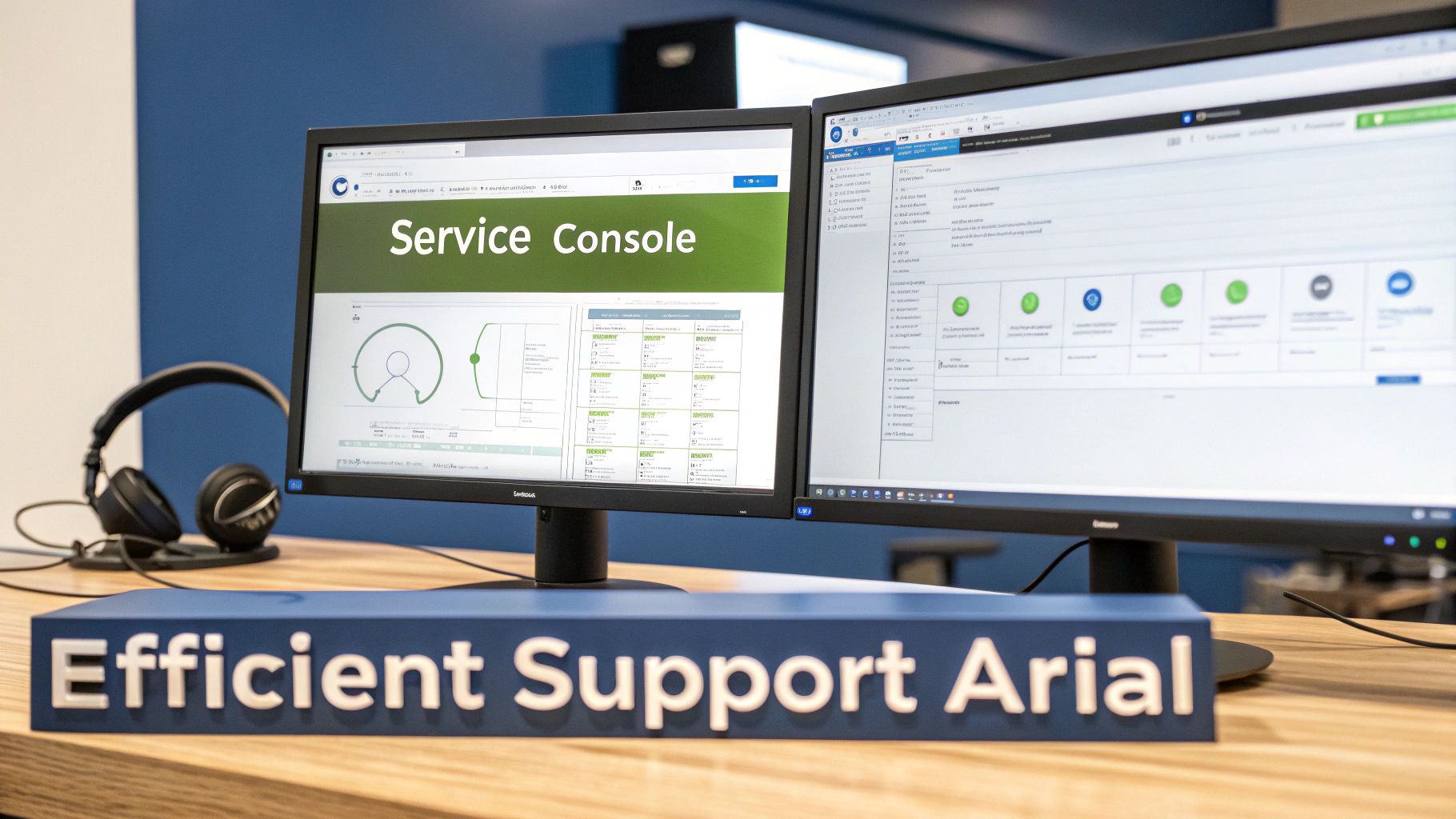
To understand what Salesforce Service Cloud brings to a B2B organization, you must look beyond the marketing features. These are not just tools for closing tickets; they are engineered to manage complex client relationships, uphold contractual service-level agreements (SLAs), and streamline your entire service operation.
Let's examine the core components and their practical application for a RevOps or sales operations leader. We are focused on tangible outcomes: faster resolutions, more productive agents, and a support model that scales with your growth.
The following table breaks down how each key feature connects directly to the metrics your sales and operations teams are measured against.
Key Service Cloud Features and Their B2B RevOps Impact
| Feature | B2B Application | RevOps Benefit |
|---|---|---|
| Case Management | Tracks complex, multi-stage client issues from start to finish, including SLA tracking and automated escalations. | Protects revenue by ensuring contractually obligated support levels are met and prevents customer churn by flagging at-risk accounts. |
| Omni-Channel | Intelligently routes incoming requests (email, phone, chat) to the agent with the right skills and availability. | Improves First Contact Resolution (FCR) rates, which shortens the support cycle and frees up agents to handle more volume. |
| Service Console | Provides agents with a single-screen, 360-degree view of the customer, including their history, contracts, and open sales opportunities. | Reduces average handle time (AHT) by eliminating the need for agents to switch between multiple applications to find information. |
| Knowledge Base | A centralized repository of troubleshooting guides and best practices accessible to both agents and customers (via a portal). | Increases case deflection by enabling customer self-service, lowering overall support costs and agent workload. |
| Einstein AI | Uses AI to recommend knowledge articles, classify cases, and power chatbots for routine inquiries. | Boosts agent efficiency by providing instant answers and automates low-value tasks, allowing teams to scale without a linear increase in headcount. |
This table provides a high-level overview. Now, let’s explore how these components function in a real-world B2B environment.
Case Management: The Backbone of B2B Support
In B2B, a "case" is rarely a simple, one-touch inquiry. It's often a complex issue involving technical troubleshooting, contract clarifications, or coordination across multiple departments. This is precisely where Service Cloud's Case Management demonstrates its value.
Consider it the central nervous system for your client relationships. It meticulously tracks every issue from initial logging to final resolution, ensuring no detail is lost. For a RevOps team, this is more than issue tracking—it's about enforcing accountability and protecting recurring revenue.
- Service Level Agreements (SLAs): Configure specific timers for response and resolution based on a client's contract tier. This guarantees your high-value accounts always receive the priority support they were promised.
- Escalation Rules: Automate rules that flag high-priority or aging cases, automatically routing them to senior staff or management before a minor problem escalates into a major relationship issue.
- Case Teams: Easily assemble a cross-functional squad—uniting support, engineering, and account management—for complex cases. All stakeholders gain visibility and can collaborate directly within the Salesforce platform.
Omni-Channel Routing: Meeting Clients Where They Are
Your B2B clients interact through various channels: email, phone, web portals, and live chat. Omni-Channel acts as the intelligent traffic controller, routing all these incoming requests to the best-qualified agent.
This is far more sophisticated than a simple first-in, first-out queue. It leverages skills-based routing. A technical question about a niche product feature is directed to a product specialist. A billing inquiry is routed to the finance support queue. This means the first person a client interacts with is often the right person, which drastically reduces resolution times and improves the customer experience.
Service Console: A Unified Workspace for Agents
Agent productivity is a primary focus for any operations leader. Nothing undermines efficiency more than forcing your team to switch between multiple applications to piece together a customer's history. The Service Console solves this by providing a complete, 360-degree customer view on a single screen.
When a case is assigned to an agent, they instantly see all necessary information:
- The client's contact details and account history.
- A complete log of past cases and interactions.
- Any related sales opportunities or open quotes from Sales Cloud.
- Relevant articles from the Knowledge Base.
Placing this information at their fingertips empowers agents to resolve issues faster and more accurately, all without leaving their primary workspace.
The real power of the Service Console is context. It transforms an agent from a reactive problem-solver into a proactive, informed advisor who understands the full scope of the client relationship.
Knowledge Base and Einstein AI: Scaling Your Expertise
Your Knowledge Base is your company's single source of truth for product documentation, troubleshooting guides, and internal best practices. Building a rich, easily searchable library empowers both your clients and your team. Customers can find answers via a self-service portal (deflecting common tickets), while agents can quickly locate and share approved solutions.
When you layer Einstein for Service (Salesforce's AI) on top, the efficiency gains multiply. Einstein can automatically suggest the most relevant knowledge article to an agent based on case details. It can also power chatbots to handle routine, repetitive questions, freeing up your human agents for complex work that requires their expertise.
This combination of self-service and AI is how you build a scalable support model. You can grow your business without needing to grow your support headcount at the same rate. This is not just about cost savings. According to the latest State of Service Report, the share of service organizations tracking revenue has increased from 51% to 91% since 2018. It’s definitive proof that great service is now viewed as a profit center. You can find more details in the full Salesforce report.
Integrating Service Cloud into Your RevOps Tech Stack

Operating Service Cloud in Salesforce as a standalone tool is a significant missed opportunity. Its true power is unlocked when it is deeply integrated into your entire RevOps tech stack. This creates a seamless flow of customer data across every department, which is not merely a technical fix—it's a strategic imperative to eliminate the silos that jeopardize deals and degrade customer relationships.
When your service, sales, and marketing systems are disconnected, each team operates with an incomplete customer view. A proper integration builds a single source of truth where every interaction—from a marketing email click to a support ticket—contributes to one unified customer profile.
Bridging Service Cloud with Sales and Marketing Platforms
Connecting Service Cloud to Sales Cloud and your marketing automation platform—be it Marketing Cloud Account Engagement (formerly Pardot) or HubSpot—is the first critical step. This creates a powerful feedback loop where insights from one system trigger intelligent actions in another, shifting your operations from a reactive mode to a proactive, strategic one.
Consider a sales rep preparing for a crucial renewal call. With a native Salesforce integration, they can see a live feed of that customer's recent support cases directly on the Account page. They can enter the meeting fully aware of recent issues, turning a potential obstacle into an opportunity to demonstrate proactive problem-solving.
Conversely, a spike in negative CSAT scores from a key account could automatically enroll that account in a "Nurture & Retain" campaign in your marketing automation tool. This simple automation prevents the common mistake of sending a promotional offer to a dissatisfied client. To understand the mechanics, explore our guide on what platform integration entails.
Mapping Data for a Cohesive Customer Journey
A successful integration depends on strategic data mapping. You must define which data points are shared between systems to ensure that when a "Case" is updated in Service Cloud, the corresponding fields on the "Account" or "Contact" record in Sales Cloud reflect that change in real-time.
Common data mapping starting points include:
- Case Data to Accounts: Expose Case history, status, and priority directly on the Account layout for sales and account management visibility.
- CSAT Scores to Contacts: Sync customer satisfaction scores to Contact records to enable communication segmentation based on client sentiment.
- Product-Specific Cases to Opportunities: Link cases related to a specific product to upcoming renewal Opportunities to highlight potential risks or upsell opportunities.
The goal is to make service data an active, living part of the customer record, not a dataset siloed within the support team. Service interactions become valuable intelligence that informs the entire customer lifecycle.
For B2B companies in Canada, data security is a critical consideration. Service Cloud's Canada Protected B Moderate accreditation is a significant advantage, allowing organizations to manage sensitive data with confidence. With the Canadian Hyperforce infrastructure keeping data within national borders, you can securely integrate platforms like MCAE (Pardot) or HubSpot to scale operations while complying with strict privacy laws. You can read more about these Salesforce security achievements in Canada.
Integration Checklist for RevOps Managers
Auditing your current tech stack is the first step toward building a more connected customer experience. Use this checklist to identify key opportunities for integrating Service Cloud more effectively.
- Evaluate Data Visibility: Can your sales team view customer support history without switching applications? If not, prioritize customizing page layouts to display Case data on Account and Contact records.
- Audit Your Automation: Are your marketing campaigns aware of service interactions? Review automation rules to ensure you aren't sending promotions to customers with open, high-priority support tickets.
- Define Cross-Functional Triggers: Which service events should initiate action in other systems? For example, should a resolved case about a specific feature automatically create a follow-up task for the account manager?
- Review Reporting and Analytics: Are your dashboards telling disconnected stories? Focus on building unified reports that correlate service metrics (like CSAT) with sales outcomes (like renewal rates).
- Assess Data Hygiene: Is your data clean and consistent? Ensure core fields like Account Name and Contact Email are standardized across all systems to prevent sync errors and inaccurate reporting.
By addressing these points, RevOps leaders can transform a collection of disparate tools into a unified GTM engine that drives measurable growth.
B2B Use Cases That Turn Service into Revenue
Understanding what Salesforce Service Cloud can do is one thing; seeing how it directly impacts your bottom line is another. For RevOps, marketing operations, and sales operations leaders, the value is realized when you connect its features to concrete business challenges.
These are not just theoretical ideas; they are proven strategies for transforming your service department from a cost center into a proactive growth engine. Let's walk through three real-world scenarios that demonstrate how to convert excellent service into measurable financial results.
1. Proactive Client Onboarding and Health Monitoring
The first 90 days after closing a deal are critical for adoption and long-term retention. Too often, this period is a chaotic mix of disconnected spreadsheets and missed follow-ups, creating a poor first impression that puts the account at risk.
With Service Cloud, you can replace this chaos with a structured, automated onboarding journey. Start by creating a dedicated Case record type for "Client Onboarding." Then, use Case Milestones to track key stages like "Kickoff Call Completed," "Technical Setup," and "First Value Realized."
- Automated Task Creation: When one milestone is completed, Salesforce can automatically create and assign the next task to the appropriate team member, whether an implementation specialist or an account manager. This ensures nothing falls through the cracks.
- Proactive Alerts: If a client hasn't logged in during their first week, an automation rule can flag the case and notify the account owner immediately. This turns a potential issue into a proactive touchpoint.
This structured process not only smooths the onboarding experience but also builds trust from day one. It also generates a rich data trail, enabling you to build dashboards that track onboarding velocity and identify struggling clients long before they become a churn risk.
2. Managing Complex Enterprise Support Tickets
Enterprise clients submit complex, multi-faceted issues that often require input from support, product, engineering, and finance. When a single ticket in the wrong queue can violate an SLA and jeopardize a high-value account, a more robust system is required.
This is precisely where features like Case Teams and Entitlements prove their worth.
When a high-priority case comes in from a strategic account, it cannot be routed to a standard queue. You need a dedicated, cross-functional squad that can address the problem immediately and deliver a coordinated response.
First, use Entitlements to define the precise level of support a client is contractually owed, such as "24/7 Phone Support with a 1-Hour First Response." These rules are built directly into Service Cloud, with timers that track compliance and automatically escalate cases if an SLA is at risk.
Simultaneously, use Case Teams to automatically assign a pre-defined group of experts—such as a senior support engineer, the designated account manager, and a product specialist—to that client’s cases. The right people are instantly engaged and can collaborate within Salesforce, providing the customer with a unified, expert response and resolving high-stakes issues more efficiently.
3. Turning Service Insights into Upsell Opportunities
Your service agents are on the front lines, hearing directly from customers about their challenges and evolving needs. Often, a support query is a buying signal in disguise. A client asking about the limitations of their current software tier is effectively asking for a better solution.
Without a formal process, these valuable opportunities are lost. Service Cloud allows you to build a systematic bridge between your service and sales teams, turning support interactions into qualified leads.
This can be as simple as configuring a "Potential Upsell" checkbox in the Service Console. When an agent identifies an opportunity and checks the box, a seamless automated workflow is triggered:
- Creates a Lead or Opportunity: A new Lead record is automatically created in Salesforce and assigned to the correct account executive.
- Transfers Key Information: The workflow intelligently copies relevant details from the case—the customer's own words—into the new lead, providing the sales rep with crucial context.
- Notifies the Sales Team: The account executive receives an instant notification about the new, warm opportunity in their queue.
This systematic process empowers your service team to become a reliable source of high-quality leads for the sales department, creating a direct and measurable impact on expansion revenue.
Getting Implementation Right: Best Practices and Pitfalls to Avoid
A successful Service Cloud project begins long before anyone configures a workflow rule in Salesforce. A common scenario is that companies, excited by the technology, activate all the features at once, only to face low user adoption, messy data, and a lack of measurable ROI.
The difference between a thriving service center and one that creates friction almost always comes down to strategic upfront planning. The focus must be on people and processes first. A well-designed Service Cloud implementation should feel custom-built for your team, making their jobs easier, not more complex.
Start with a Whiteboard, Not a Workflow Rule
Before configuring a custom console or building automation, you must conduct a thorough analysis of your current service processes. The goal is not to digitize a broken workflow but to redesign it for optimal efficiency and then build the system to support it.
This discovery phase is non-negotiable. Assemble key stakeholders—frontline agents, team leads, and service managers—to map the entire lifecycle of a customer issue.
- Define Your "Why": What is the business objective? Are you aiming to reduce churn by 10% or improve First Contact Resolution (FCR) by 15%? Establish your key performance indicators (KPIs) from day one to create a clear definition of success.
- Map the Case Journey: Use a whiteboard to visually trace the path a case takes from creation to resolution. Pinpoint every handoff, decision point, and bottleneck in the current process.
- Clarify Ownership: Ambiguity is the enemy of efficiency. Clearly define who is responsible for a case at each stage, who handles escalations, and how collaboration with other departments will function.
Rushing into the technical build without a solid process blueprint is the single most common and costly mistake. Technology must serve your strategy; it should never be your strategy.
Designing for People and for the Future
Once your processes are defined, you can begin the build, focusing on two principles: user experience for your agents and scalability for the future. A clunky, unintuitive system will be abandoned, negating your entire investment.
Your first priority should be a clean, streamlined Service Console. Customize layouts to pull in critical information from Sales Cloud or your marketing platform, giving agents a complete customer picture without switching between multiple tabs. Equally important is establishing logical and scalable case routing rules to get the right issue to the right person, right away.
Common Traps That Can Derail Your Project
Even with meticulous planning, certain pitfalls can derail a project. Awareness of these common traps from the outset is the best way to avoid expensive rework.
- Over-Automating the Human Touch: Automation is ideal for repetitive, low-value tasks, but not every interaction should be automated. Ensure customers have an easy path to a human agent for complex or emotionally charged issues.
- Treating Your Knowledge Base Like a Digital Filing Cabinet: A knowledge base requires ongoing governance. It needs a dedicated owner and a regular process for reviewing, updating, and archiving content. Without this discipline, it becomes outdated and untrustworthy, leading to low adoption by both agents and customers.
- Training on Clicks, Not on Concepts: Do not just show your team how to use the new system; explain why it is being implemented. Articulate how it solves their primary pain points and helps them perform their jobs more effectively. Training is not a one-time event; ongoing support and a feedback channel are crucial for long-term adoption.
Building Dashboards That Measure RevOps Impact
If you can't measure it, you can't manage it—a core principle of RevOps. The data flowing through Service Cloud is a valuable asset, but only if you build dashboards that tell the right story, moving beyond operational metrics like case volume to demonstrate how service directly impacts revenue.
The objective is to translate agent activity into business outcomes. This means focusing on key performance indicators (KPIs) that reveal efficiency gains, customer sentiment, and financial results. A well-constructed dashboard should answer critical questions for all stakeholders, from a frontline agent to a C-level executive.
Focusing on Metrics That Matter
To demonstrate the impact of Service Cloud in Salesforce, your dashboards must track KPIs that resonate with your entire go-to-market team. This requires connecting service data to broader business objectives. For a comprehensive approach, consider how Call Center Reporting: Essential Metrics, Dashboards & KPIs That Drive Growth align with revenue goals.
The following core metrics should form the foundation of any RevOps-focused service dashboard:
- First Contact Resolution (FCR): What percentage of issues are resolved in a single interaction? A high FCR indicates efficient processes and a positive customer experience.
- Customer Satisfaction (CSAT) & Net Promoter Score (NPS): Are customers satisfied with the service they receive? Tracking CSAT trends after interactions can identify coaching opportunities or process flaws.
- Average Handle Time (AHT): How long does it take an agent to resolve a case? While a low AHT is generally positive, it must be monitored alongside FCR and CSAT to ensure quality is not sacrificed for speed.
- Case Backlog & Age: How many cases are open, and for how long? This is a critical indicator of team capacity and workload.
The most powerful dashboards connect service metrics to financial outcomes. Imagine correlating a drop in CSAT scores for a key account with its upcoming renewal date. That’s not just a service metric; it’s a proactive churn risk alert for your entire RevOps team.
Tailoring Dashboards for Different Audiences
Different stakeholders require different information. Effective dashboards are tailored to the user's role and responsibilities. For technical guidance, refer to our guide on how to create dashboards in Salesforce.
For Service Agents and Team Leads (The Tactical View):
This is a real-time command center. Agents need visibility into their personal performance, current queue, and high-priority cases. Team leads require a live snapshot of team capacity, SLA compliance, and areas needing immediate intervention.
For the Executive Team (The Strategic View):
Executives need a high-level view that connects service to the bottom line. Their dashboard should visualize long-term trends, directly linking service performance to business metrics like customer retention rates, expansion revenue influenced by service, and overall customer lifetime value. It should answer one key question: "How is our investment in service driving business growth?"
Frequently Asked Questions
When B2B and RevOps leaders evaluate Service Cloud, a common set of practical questions arises regarding its functionality, integration capabilities, and expected ROI. Here are the most frequent inquiries we address.
How Is Service Cloud Different from Sales Cloud?
This is an excellent question, as both are built on the core Salesforce platform but are designed for different stages of the customer journey. Think of Sales Cloud as your acquisition engine, purpose-built for the lead-to-opportunity-to-close process. Its functionality revolves around pipeline management, forecasting, and deal execution.
Service Cloud, in contrast, focuses on the post-sale customer lifecycle. Its features are centered on customer retention and loyalty through case management, knowledge bases, and service level agreements (SLAs).
For RevOps, sales operations, and marketing operations leaders, the key is not choosing one over the other but integrating them tightly. A seamless integration ensures your sales team sees active support tickets before a renewal call, and your service team knows when to flag a potential upsell opportunity to sales.
Can Service Cloud Integrate with Non-Salesforce Tools?
Absolutely. It is a common misconception that you must commit entirely to the Salesforce ecosystem. In reality, Service Cloud is designed to be the central hub for service operations, connecting with a wide range of third-party systems.
Using Salesforce's robust APIs or an integration platform like MuleSoft, you can easily connect Service Cloud to:
- Marketing Automation Platforms: Syncing with tools like HubSpot or Marketo is a game-changer. You can automatically exclude customers with open support tickets from a new marketing campaign—a simple yet powerful way to improve the customer experience.
- ERP Systems: Provide service agents with direct visibility into billing, shipping, and order history, enabling them to answer complex questions in a single interaction.
- Business Intelligence Tools: Feed service data directly into platforms like Tableau or Power BI for deeper, cross-functional analysis of how service performance impacts the entire business.
The objective is to build a connected GTM tech stack where data flows freely. When your service, finance, and marketing teams operate from a single source of truth, you eliminate silos and create a unified customer view.
The most critical first step is not technical; it’s strategic. Before configuring any technology, you must clearly document your current service processes, identify the bottlenecks, and define what an ideal future state looks like.
This involves mapping your case lifecycle, defining case routing logic, and establishing the key performance indicators (KPIs) you will use to measure success. A technical implementation without this strategic process foundation almost always results in poor user adoption and a failure to achieve business objectives.
Ready to turn your service centre into a strategic revenue engine? At MarTech Do, we specialise in optimising and integrating Salesforce Service Cloud to align with your go-to-market strategy. Let's build a service operation that drives measurable growth.