Platform integration is the strategic process of connecting different software applications so they can share data and automate workflows. For B2B companies, it’s how you transform a collection of standalone tools into a single, cohesive revenue engine, eliminating the data silos that cripple marketing and sales operations.
Defining Platform Integration for RevOps Leaders

Consider a tech stack without integration: it’s like a dysfunctional relay team. Each runner stops to explain the entire race plan to the next person before passing the baton. The process is slow, inefficient, and prone to error.
Now, picture an integrated stack. That’s a professional relay team. The baton pass is seamless. Every runner operates in perfect sync, driving toward the finish line.
For any RevOps leader managing platforms like Salesforce, HubSpot, or Pardot (MCAE), integration is not a technical nice-to-have. It is the architectural foundation for a single source of truth across your entire revenue organization.
It’s what enables a lead’s engagement in your marketing platform to instantly update their record in the CRM, arming your sales team with timely, relevant intelligence.
But this goes beyond simple data sharing. True platform integration powers the sophisticated, automated workflows that drive operational efficiency and, most importantly, revenue.
Platform integration is the architectural and operational backbone of modern Revenue Operations. It transforms a collection of individual tools into a unified revenue engine, where data flows freely and actions are triggered automatically based on customer behavior across the entire lifecycle.
The market is responding to this strategic imperative. The global enterprise integration platform sector is projected to grow from USD 17.67 billion in 2025 to an estimated USD 36.56 billion by 2030. This expansion is driven by digital transformation and the proliferation of specialized SaaS tools. You can explore the full research on the enterprise integration market to understand the trends pushing this growth.
Core Components of Platform Integration
To execute an effective integration strategy, it’s essential to understand its core components. These are the building blocks that ensure your systems don’t just communicate, but work in concert to achieve business objectives.
| Component | Role in Integration | Business Impact |
|---|---|---|
| Data Synchronization | Maintains data consistency across all connected systems, acting as the ‘single source of truth’ enforcer. | Eliminates data discrepancies, ensures teams work with accurate information, and improves decision-making. |
| Workflow Automation | Triggers actions in one system based on events in another, removing the need for manual intervention. | Frees up team members from repetitive tasks, accelerates the customer journey, and reduces human error. |
| API Management | Governs the APIs (Application Programming Interfaces) between platforms, ensuring data is exchanged securely and reliably. | Provides a stable, scalable, and secure foundation for all integrations, preventing data breaches and system failures. |
Mastering these three components is non-negotiable. They form the triad that supports a robust, scalable, and effective integration strategy.
Key Components of a Strong Integration Strategy
To build an integration that scales, RevOps leaders must focus on several core elements. These components work together to ensure your systems are not just connected, but are actively supporting broader business goals.
- Data Synchronization: This is about consistency. When a contact’s information is updated in Salesforce, that change must automatically reflect in HubSpot. This eliminates mismatched records and outdated intelligence.
- Workflow Automation: This is where efficiency gains are realized. Integration allows you to build automated processes that eliminate manual work and accelerate the buyer’s journey. A prime example is automatically creating a new deal in your CRM when a lead reaches a specific score in your marketing automation platform.
- Unified API Management: Think of Application Programming Interfaces (APIs) as the regulated communication channels between your platforms. A strong integration strategy depends on managing these APIs effectively to ensure every data exchange is secure, reliable, and scalable.
The Business Case for Integrating Your MarTech Stack

While the technical details are important, the strategic “why” of platform integration is what matters to marketing, sales, and RevOps leaders. A connected MarTech stack is not an IT project; it is a revenue-generating asset.
When systems are disconnected, teams operate with fragmented information, leading to operational friction, lost leads, and missed opportunities. By connecting critical platforms like Salesforce and HubSpot, you can build a true revenue engine powered by real-time data and intelligent automation.
Let’s examine the four primary business drivers for platform integration.
Achieve a Single Customer View
Without integration, customer data is fragmented across various systems. Marketing tracks email engagement, sales manages deal information in the CRM, and support handles tickets in a separate platform. This makes it impossible to gain a holistic understanding of the customer journey.
Integration solves this by synchronizing data across your core platforms. When a prospect opens an email, that activity instantly appears on their contact record in the CRM. The result is a Single Customer View—a unified timeline of every touchpoint.
This complete picture enables your teams to make more informed decisions, deliver personalized outreach, and anticipate customer needs.
Unlock Powerful Process Automation
Consider the time your team spends on manual, repetitive tasks: exporting and importing lead lists, updating CRM records, or notifying sales reps of new MQLs. These activities are slow, tedious, and susceptible to human error.
Integration automates these processes. You can configure triggers that initiate automated workflows between platforms, creating a seamless, hands-off operational flow.
A properly integrated system doesn’t just share data; it acts on it. It transforms your tech stack from a passive database into an active participant in your revenue process, executing tasks faster and more reliably than any manual effort ever could.
Imagine a prospect completes a “Request a Demo” form. An effective integration can immediately:
- Create a new lead in Salesforce with the correct attribution.
- Assign the lead to the appropriate sales representative based on territory rules.
- Generate a task for the rep to follow up within 24 hours.
- Enroll the lead into a relevant nurture sequence in your marketing platform.
This entire sequence occurs instantly, ensuring prompt follow-up, improving the lead experience, and allowing your team to focus on high-value activities.
Improve Data Accuracy and Reporting
The quality of your business decisions depends on the quality of your data. When systems are disconnected, reports become unreliable. Marketing’s MQL numbers may not align with what sales sees in the CRM, and sales forecasts may not reflect recent marketing engagement. This disparity breeds mistrust and misalignment between departments.
Platform integration establishes a single source of truth. By mapping fields and defining clear synchronization rules, you ensure everyone works from the same data set. This consistency is the foundation of trustworthy reporting.
With clean, unified data, you can build dashboards that provide a comprehensive view of the entire revenue funnel, from initial ad click to closed-won deal. This empowers RevOps leaders to identify bottlenecks, optimize processes, and generate forecasts with confidence.
Fuel Revenue Growth Directly
Ultimately, the primary reason to integrate your tech stack is its direct impact on revenue. Each benefit—the single customer view, process automation, and data accuracy—contributes directly to financial growth.
True personalization becomes achievable because your marketing platform has access to rich CRM data. The handoff from marketing to sales becomes frictionless because reps receive the lead intelligence they need in real time.
By aligning your teams through technology, you create a cohesive customer experience that shortens the sales cycle and drives measurable growth.
Exploring The “How”: Key Platform Integration Architectures
Understanding why you need to integrate your platforms is the first step. Determining how to do it is what separates a powerful tech stack from a technical liability.
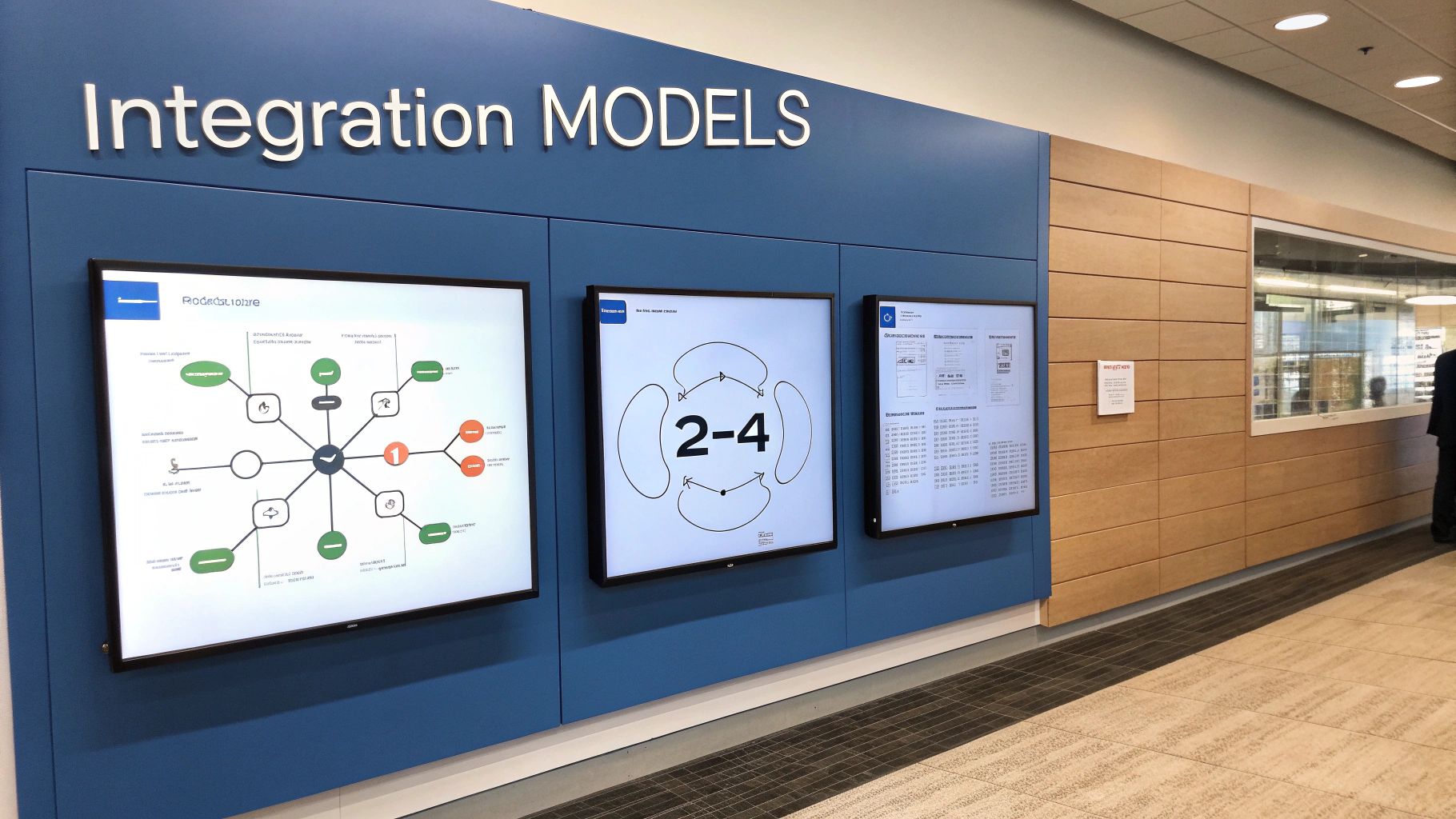
Your integration architecture is the blueprint for how your systems communicate. For RevOps leaders managing a complex ecosystem of tools like Salesforce and HubSpot, selecting the right model is a foundational decision that impacts scalability, maintenance costs, and operational stability.
Let’s examine the three primary architectural models.
The Direct Flight: Point-to-Point Integration
The most direct approach is Point-to-Point (P2P) integration. This model establishes a single, custom-coded connection between two specific applications, such as a direct link between HubSpot and Salesforce.
This method is sufficient for one or two connections. However, complexity grows exponentially as you add more applications. Integrating a third platform, for instance, would require building two new connections. This quickly leads to a tangled web of individual links often referred to as “spaghetti architecture.” It is brittle, difficult to troubleshoot, and does not scale for a modern B2B enterprise.
The Central Hub: Hub-and-Spoke Model
The limitations of P2P led to the development of the Hub-and-Spoke model. In this architecture, each application (a “spoke”) connects to a central middleware hub rather than directly to every other application. The hub manages data translation and routing.
This model is more organized than P2P, but it introduces a significant vulnerability: the central hub is a single point of failure. If the hub goes down, the entire system ceases to function, halting all data flow. This poses a major risk for businesses that depend on real-time data.
For those interested in the technical underpinnings of these models, exploring fundamental software architecture design patterns can provide valuable context.
The Modern Cloud Network: iPaaS
The most modern and flexible approach is Integration Platform as a Service (iPaaS). An iPaaS is a cloud-based service that provides the tools, pre-built connectors, and infrastructure to build and manage integrations without extensive custom coding. For RevOps teams, an iPaaS solution serves as a central command center for the entire tech stack.
The advantages are significant:
- Scalability: Add or remove applications with minimal disruption to the existing ecosystem.
- Management: A centralized dashboard allows for monitoring data flows, troubleshooting errors, and managing security across all connections.
- Speed: Pre-built connectors for major platforms like Salesforce and Pardot enable rapid deployment.
This model is designed for the modern, SaaS-driven business, providing the agility to adapt your tech stack while ensuring reliable and secure data movement. The mechanics of data flow are critical, and our guide on what is data synchronization delves deeper into the core processes these architectures facilitate.
The shift toward iPaaS reflects a broader move away from rigid, custom-coded integrations and toward agile, cloud-native solutions. It allows RevOps teams to own their integration strategy without being entirely dependent on development resources.
Market data validates this trend. The iPaaS market was valued at USD 17.55 billion in 2025 and is projected to reach USD 79.38 billion by 2030. This demonstrates a significant industry pivot toward more flexible and scalable integration methods. For B2B companies building a future-proof tech stack, iPaaS has become the strategic standard.
Practical Integration Use Cases for B2B Marketers

Understanding integration architecture is important, but its practical application is what drives business value. For B2B marketing and sales operations teams, platform integration solves real-world operational challenges and transforms siloed activities into a coordinated revenue machine.
When Salesforce and HubSpot are disconnected, teams are burdened by manual data entry, incomplete reporting, and lost leads. Let’s explore four real-world integration scenarios that address these issues and turn your tech stack into a strategic asset.
Visual workflow automation tools, such as those available through n8n integration, can help illustrate how these applications connect to execute complex processes.
Syncing Leads and Contacts in Real Time
This is a foundational integration, and arguably the most critical. A real-time, bidirectional sync between your Marketing Automation Platform (MAP) and CRM is essential.
When your marketing team generates new leads in Pardot or HubSpot, they must be available to sales immediately. Without integration, these leads languish until someone performs a manual data transfer, causing costly delays. With a proper sync, new lead information and contact updates are reflected in the CRM instantly.
- For Sales: Reps receive MQLs and enriched contact records in real time, enabling prompt follow-up when engagement is highest.
- For Marketing: Marketers achieve closed-loop reporting, allowing them to see which leads convert to opportunities and optimize campaign spend accordingly.
This continuous data flow ensures both teams work from a single source of truth, ending debates over mismatched data.
Fully Automating the Sales Handoff
The transition of a lead from marketing to sales is a critical juncture where deals are won or lost. Platform integration automates this handoff, making it fast, seamless, and reliable.
When a lead reaches a specific qualification threshold in HubSpot, a well-designed integration can automatically:
- Update the lead’s status to “Marketing Qualified Lead” in both systems.
- Create a new opportunity record in Salesforce, linked to the contact.
- Assign a follow-up task to the appropriate sales rep with a clear due date.
- Send a real-time notification to the rep via Slack or email.
This automated process eliminates the risk of qualified leads being overlooked, ensuring no momentum is lost. For a detailed look at connecting these systems, refer to our guide on CRM and marketing automation integration.
Unifying Cross-Platform Reporting
Reporting is a significant challenge when data is siloed. Marketing tracks campaign metrics in one platform, while sales manages pipeline and revenue in another. Manually consolidating this data is time-consuming and prone to errors.
Integration solves this by piping data from key systems—such as Salesforce, HubSpot, and finance software—into a central data warehouse or business intelligence (BI) tool.
By unifying all your data streams, you can finally build dashboards that show the entire revenue journey. You can track a lead from their first click on your website all the way to a signed contract, all in one view.
This gives RevOps leaders the ability to accurately measure campaign ROI, identify bottlenecks in the sales process, and build forecasts that executive leadership can trust.
Powering Hyper-Personalized Campaigns
A sophisticated integration enables you to leverage the rich data within your CRM to execute highly targeted marketing campaigns. Your Salesforce instance contains valuable customer information, including purchase history, contract renewal dates, and product usage data.
By synchronizing this data back to your MAP, you can create dynamic segments for more relevant messaging. For example, you could automatically trigger:
- An upsell campaign in HubSpot for customers approaching their usage limits.
- A “win-back” email sequence for closed-lost opportunities six months after the deal was lost.
- A tailored onboarding journey for new customers based on their industry.
This level of personalization is impossible without a clean connection between your sales and marketing platforms. It elevates your marketing from generic broadcasts to context-aware conversations that drive engagement and create new revenue opportunities.
A Framework for Successful Integration Projects
A successful integration is built on strategy, not just technology. Initiating a platform integration project without a clear plan is a recipe for failure. For RevOps professionals, a structured framework transforms a complex technical initiative into a manageable, value-driven business project.
This process ensures that every decision, from tool selection to data mapping, directly supports your overarching revenue goals.
Phase 1: Define Business Objectives and Scope
Before any technical work begins, answer the fundamental question: “What business problem are we trying to solve?” Start with the strategic pain point, not the technology.
Are you aiming to reduce lead follow-up times, eliminate manual data entry for your sales team, or achieve a unified customer view for accurate reporting? Your objectives must be specific, measurable, and tied to a clear business outcome.
Once the why is established, define the what:
- Identify Systems: Which platforms require integration (e.g., Salesforce, HubSpot, a BI tool)?
- Define Data Flows: What specific information needs to be shared between them (e.g., new lead data, opportunity updates, email engagement)?
- Outline Workflows: What automated processes will the integration enable (e.g., the MQL handoff)?
A well-defined scope is non-negotiable. It prevents scope creep and keeps the project focused on delivering tangible value.
Phase 2: Audit Existing Systems and Data
Next, conduct a thorough audit of your current systems and data quality. This step is crucial for uncovering hidden issues that could derail the project.
Analyze your CRM and marketing automation platforms for data inconsistencies, duplicate records, and incomplete fields. The “garbage in, garbage out” principle is amplified in an integrated environment. Integrating systems with poor data quality will only propagate the problem faster and more widely.
This phase is about establishing a clean foundation to ensure the data you synchronize is accurate, reliable, and trustworthy from the start.
Phase 3: Choose the Right Tools and Architecture
With a clear understanding of your objectives and current state, you can select the appropriate tools. The choice typically comes down to two options:
- Native Connectors: These are pre-built integrations offered by software vendors, such as the native HubSpot-Salesforce connector. They are often suitable for simple, standard use cases.
- iPaaS Solutions: These are third-party platforms like Zapier, MuleSoft, or Workato. They provide greater flexibility, advanced customization, and the ability to connect multiple systems through a central hub.
The optimal choice depends on your project’s complexity, budget, and long-term scalability requirements.
A successful project isn’t just about connecting two platforms; it’s about building a scalable data infrastructure. Establishing clear data governance rules and meticulously mapping fields are critical steps to maintain data integrity and prevent future chaos.
The demand for unified data is a major market driver. The global data integration market was valued at USD 17.10 billion in 2025 and is projected to grow to USD 47.60 billion by 2034. This growth is fueled by the need for business intelligence derived from clean, harmonized data. You can discover more insights about data integration market trends to see how this is shaping modern enterprises.
Phase 4: Test, Deploy, and Maintain
Never deploy an integration without rigorous testing. Use a sandbox environment to validate every data sync and automated workflow until you are confident in its reliability. Involve end-users from marketing and sales to ensure the solution works in real-world scenarios.
Plan a phased deployment to minimize business disruption. However, the work is not finished at launch. Ongoing monitoring and maintenance are essential to keep the integration stable and effective as your business and its needs evolve.
For a detailed guide on structuring this type of initiative, our article on creating a CRM implementation project plan provides a valuable roadmap.
How to Avoid the Most Common Platform Integration Disasters
A successful integration is as much about risk mitigation as it is about execution. Understanding common failure points provides RevOps leaders with the foresight to avoid the traps that can derail even well-intentioned projects.
Ignoring these risks is a surefire way to exceed your budget, frustrate your teams, and create an “integration” that generates more problems than it solves.
Mistake #1: Starting Without a “Why”
The most common mistake is focusing on the how before the why. A project initiated with the goal “we need to connect Salesforce and HubSpot” is already misguided. The conversation must begin with a business objective, such as “we need to reduce our lead response time by 50%” or “we need to improve our renewal rate by 15%.”
Without a clear business goal, you risk building a technically sound solution to a non-existent problem, wasting time, budget, and political capital on an initiative that delivers no measurable value.
A platform integration is a business initiative first and a technology project second. Every single decision—from data mapping to workflow triggers—has to tie directly back to a core revenue or operational objective.
Mistake #2: The “Garbage In, Garbage Out” Trap
Poor data quality is the silent killer of integrations. The adage “garbage in, garbage out” becomes exponentially more dangerous when you connect systems. If your Salesforce instance is filled with duplicate contacts and incomplete records, connecting it to Pardot will not solve the issue—it will amplify it across your tech stack.
Proceeding with an integration without a thorough data audit and cleanup is a fatal error. It will contaminate your systems, erode your team’s trust in the data, and undermine the objective of creating a single source of truth. Clean data is not optional; it is a prerequisite for success.
Mistake #3: Underestimating the True Scope
Connecting two platforms may sound simple, but the reality is often far more complex. Mapping fields, defining synchronization logic, and handling data transformations between systems with different architectures is rarely a plug-and-play exercise.
It is critical to map all dependencies, allocate sufficient time for rigorous testing, and plan for ongoing maintenance. Underestimating the effort involved leads to missed deadlines and a fragile integration that breaks with the first minor platform update. A realistic assessment of the required effort is essential for setting proper expectations and securing the necessary resources.
Got Questions About Platform Integration? We’ve Got Answers.
When RevOps leaders begin to explore platform integration, several key questions consistently arise. These strategic decisions are crucial for aligning your tech stack with your revenue goals.
Let’s address the most common questions from teams looking to integrate Salesforce, HubSpot, and Pardot effectively.
How Do I Choose Between Native Connectors and an iPaaS?
This decision represents a fundamental choice between simplicity and scalability.
Native connectors, such as the out-of-the-box integration between Salesforce and HubSpot, are an excellent starting point for basic requirements. They are typically easy to implement, cost-effective, and handle standard use cases like syncing new leads and contact updates.
However, when your needs become more complex, an iPaaS solution (e.g., Workato or MuleSoft) is necessary. If you need to connect multiple systems, apply complex business logic, or handle high data volumes, you will quickly exceed the limitations of a native connector. An iPaaS provides the power and flexibility to build a scalable tech stack that can evolve with your business.
What’s the Difference Between Data and Application Integration?
While the terms sound similar, they address distinct business needs. Understanding the difference is key to defining your project’s objectives.
- Data Integration focuses on creating a single source of truth. Its goal is to consolidate information from various sources (CRM, MAP, ERP) into a central repository, like a data warehouse. This is the foundation for robust business intelligence, analytics, and a 360-degree customer view.
- Application Integration is about automating actions and processes in real time. For example, when a lead submits a form in your marketing tool, application integration is what instantly creates a corresponding task for a sales rep in your CRM. It connects systems to streamline operational workflows.
Here’s a simple way to think about it: Data integration gives you a single, unified view of your business. Application integration creates a single, unified process for your business to operate.
What Does a Platform Integration Project Really Cost?
The cost of a platform integration project varies significantly based on its scope and complexity. A simple implementation using a native connector may only cost a few thousand dollars, while a complex, multi-system project on an iPaaS platform can easily reach six figures.
Key cost factors include the number of systems being integrated, the complexity of the workflows, and the initial quality of your data.
It is best to view this expenditure as an investment rather than a cost. A well-executed integration delivers a strong return by reducing manual labor, accelerating the sales cycle, and providing reliable data for decision-making. The upfront investment must be weighed against the significant long-term gains in efficiency and revenue growth.
Ready to stop wrestling with disconnected systems and build a truly unified revenue engine? MarTech Do specializes in designing and implementing platform integration strategies for B2B companies. We help you connect Salesforce, HubSpot, and Pardot to eliminate data silos and automate the workflows that drive growth. Schedule a consultation with our RevOps experts today.