

Connecting Mailchimp and Salesforce isn't just about linking two software platforms; it’s a strategic move to unify your marketing and sales engines. A well-executed Mailchimp integration with Salesforce dismantles the data silos that often hamstring B2B growth, providing both teams with a single source of truth.
For marketing and sales operations managers, this integration is the foundation for building a cohesive and efficient revenue operation.
Why a Mailchimp Salesforce Integration Drives B2B Revenue
In many B2B organizations, marketing and sales operate in separate spheres. Marketing captures and nurtures leads within Mailchimp, while sales manages relationships and closes deals in Salesforce. Without a functional bridge between these systems, critical data becomes stranded, leading to disjointed customer experiences and lost sales opportunities. This disconnect is a primary source of revenue leakage and a significant barrier to scalable growth.
The strategic value of integrating these platforms lies in the seamless, bi-directional flow of data it enables. Imagine a sales development representative viewing a lead in Salesforce and instantly seeing every email they've opened, every link they've clicked, and every webinar they've attended. This intelligence transforms a cold outreach into a relevant, timely conversation—a true game-changer for sales effectiveness.

Unifying Go-To-Market Operations
A properly executed integration transforms a series of disconnected marketing and sales tasks into a powerful, automated system. This alignment is central to any effective RevOps strategy, ensuring every GTM motion is data-driven and directly contributes to building a robust sales pipeline.
- Go From Generic to Granular Campaigns: Leverage rich Salesforce data—such as job titles, industry classifications, or lead status—to build hyper-targeted segments in Mailchimp. This allows you to move beyond generic email blasts and deliver personalized campaigns that resonate with specific buyer personas.
- Arm Your Sales Team with Actionable Intelligence: When marketing engagement data flows into Salesforce, it generates real-time buying signals. For example, a prospect clicking on your pricing page can automatically trigger a task for the assigned sales rep, enabling immediate follow-up when purchase intent is at its peak.
- Create a Single, Cohesive Customer Journey: The integration maps the entire customer journey, from the initial marketing touchpoint to a closed-won deal, within a unified system. This provides a complete, 360-degree view, which is essential for accurate attribution modeling and reliable revenue forecasting.
A truly integrated stack means marketing is no longer just about generating leads; it's about delivering sales-ready intelligence. This shift from focusing on volume to focusing on value is crucial for scaling B2B growth and maximizing the ROI of your marketing automation efforts.
The Measurable Impact on Performance
The benefits of this integration are not theoretical; they are quantifiable. A Deloitte Canada analysis of British Columbia's tech sector found that firms with integrated systems saw a 51% uplift in marketing-qualified leads (MQLs).
Vancouver-based companies that adopted this model generated 12,000 MQLs quarterly, a significant increase from 8,000 prior to integration. This was achieved primarily by using Salesforce demographic data for smarter segmentation. With native syncs occurring every 2-4 minutes, their analytics improved so dramatically that top performers achieved an email ROI of 4,200%. You can review these findings on Mailchimp's integration page.
Ultimately, connecting Mailchimp and Salesforce lays the foundation for scalable growth by transforming your CRM and marketing automation platforms into a single, powerful, revenue-driving machine.
Choosing Your Integration Path: Native vs. Third-Party Connectors
Before you connect Mailchimp and Salesforce, you face a critical decision. This isn't just a technical choice; it's a strategic one that will impact your budget, team resources, and the scalability of your MarTech stack. For any RevOps leader, deciding between the native connector, a third-party tool, or a custom API integration will define the power and flexibility of your entire go-to-market engine.
The most common starting point is the official 'Mailchimp for Salesforce' app from the AppExchange. It's the standard, out-of-the-box solution designed for straightforward data synchronization. However, a solution that works for a small team with simple needs can quickly become a bottleneck for a scaling B2B company with complex data models or sophisticated automation requirements. It's essential to assess your team's operational maturity and strategic goals to determine the right path.

To help you evaluate the options, let's break down the three primary paths for integrating these two platforms.
Connector Comparison: Mailchimp for Salesforce
This table summarizes the three main integration options. Use it as a quick reference to align a solution with your team's resources, technical expertise, and long-term objectives.
| Factor | Mailchimp for Salesforce (Native) | Third-Party Middleware (e.g., Zapier) | Custom API Integration |
|---|---|---|---|
| Cost | Free (included with Mailchimp Standard plan or higher) | Monthly/Annual Subscription Fee (Varies by plan & usage) | High (Upfront development + ongoing maintenance costs) |
| Complexity | Low (Point-and-click setup, minimal configuration) | Medium (Requires workflow logic, but low-code interface) | High (Requires skilled developers and detailed planning) |
| Flexibility | Low (Limited to 1 audience, standard objects, basic sync) | High (Multi-audience sync, custom objects, conditional logic) | Very High (Complete control over data, timing, and logic) |
| Best For | Small teams, simple data models, basic sync needs | Growing teams needing more than the native app offers | Mature orgs with unique requirements, real-time needs |
Each approach has its place. The key is to realistically assess your current needs while planning for your operational roadmap over the next 12-18 months.
The Native Connector: A Good First Step
The free, native 'Mailchimp for Salesforce' app is the default starting point for many organizations. Its appeal lies in its simplicity and lack of additional cost. If your business uses a single primary audience in Mailchimp and operates mainly with standard Lead and Contact objects in Salesforce, it handles basic data syncing adequately.
However, its limitations can become apparent quickly. The app's most significant constraint is its inability to sync with more than one Mailchimp audience per Salesforce organization. For any company running distinct marketing programs for different products, regions, or customer segments, this is a major operational roadblock. Furthermore, the sync frequency is often hourly, which can create delays in providing sales with critical data from time-sensitive marketing campaigns.
From experience, the native connector is a solid launchpad, but it's crucial to recognize its limitations. If your GTM roadmap involves multiple product lines or complex lead routing based on custom object data, you will quickly outgrow its capabilities.
Third-Party Middleware: The Flexible Middle Ground
When the native app becomes too restrictive, it’s time to evaluate third-party middleware platforms like Zapier or Workato. These tools serve as a flexible bridge between Salesforce and Mailchimp, offering pre-built connections that extend far beyond the native app's functionality.
Key advantages include:
- Multi-Audience Sync: Sync different Salesforce reports or views to separate audiences in Mailchimp, enabling more segmented marketing efforts.
- Custom Object Support: Access and utilize data from custom Salesforce objects that are critical to your business but invisible to the native connector.
- Smarter Workflows: Implement conditional logic. For example, you can create a rule to "only sync contacts when their status changes to 'Marketing Qualified' and their industry is 'Manufacturing'."
The trade-off is that these platforms are subscription-based, adding to your overall tech spend, and they represent another system to manage. While often marketed as "low-code," effective implementation requires a deep understanding of the data structures in both platforms.
The Custom API Path: Ultimate Control
For large enterprises with unique data models, high sync volumes, or the need for real-time, bi-directional data flow, a custom API integration offers the ultimate solution. This path provides complete control, allowing you to build a connector perfectly tailored to your specific RevOps workflows, defining precisely what data syncs, how it's mapped, and what actions trigger the exchange.
This approach is not for everyone. It demands dedicated developer resources, a significant upfront investment, and a meticulous project plan. You are also responsible for all ongoing maintenance, including updates required when Salesforce or Mailchimp modifies their APIs. While it is the most powerful option, it is also the most resource-intensive and is best suited for mature organizations whose critical business needs cannot be met by off-the-shelf tools.
Now, let’s transition from strategy to execution. Assuming you've chosen your integration path, we'll focus on configuring the official Mailchimp for Salesforce connector—the most common starting point for RevOps teams. I'll guide you through the setup process, sharing practical insights gained from real-world implementations.
Correctly configuring this connector is more than a technical exercise; it's about establishing a solid foundation for clean data and powerful automation between your marketing and sales platforms.

Pre-Installation Checklist and Requirements
Before proceeding to the AppExchange, several preparatory steps are essential. Many teams overlook these checks, leading to installation failures and permission-related issues down the line.
First, verify your Salesforce edition. The connector requires API access, which is included with Enterprise, Unlimited, Developer, and Performance editions. If your organization uses the Professional edition, you must purchase the API access add-on from Salesforce.
Next, address permissions. The user installing the app and performing the initial setup must have a profile with both "Modify All Data" and "Customize Application" permissions. This typically requires a Salesforce Administrator or a user with a similar high-level permission set.
In Mailchimp, ensure the user connecting the account has an "Owner" or "Admin" role to grant the necessary access and configure audience settings.
Pro Tip: Always install and test the integration in a Salesforce Sandbox first. A sandbox provides a safe environment to validate the setup, fine-tune field mappings, and ensure sync rules operate as expected—all without impacting your live production data. Once you've confirmed functionality, you can deploy to production with confidence.
Installation and Authentication
With the prerequisites met, navigate to the Salesforce AppExchange. Search for "Mailchimp for Salesforce" and click "Get It Now." The installation wizard will guide you through the process. I recommend selecting "Install for Admins Only" initially to contain access while you complete the configuration.
Once the package is installed, the next critical step is authentication. This establishes the secure, token-based connection between the two platforms. When configuring your connector, a solid understanding of general authentication principles is vital for securing your integration.
From your Salesforce org, locate the Mailchimp for Salesforce app and click the "MC Setup" tab. You will be prompted to log in to your Mailchimp account. This initiates an OAuth 2.0 process, which securely grants Salesforce permission to access your Mailchimp data without you ever sharing your password.
Navigating the Setup Wizard
After a successful login, the Mailchimp setup wizard will appear to guide you through the core configuration. This is where you will define the fundamental rules for your integration.
- Lead Creation: Decide whether you want Mailchimp to create new Leads in Salesforce. Enabling this feature means that if a new Mailchimp subscriber does not match an existing Contact or Lead, the integration will automatically create a new Lead record. This is an excellent way to capture new interest directly from marketing campaigns.
- Audience Selection: As noted, the native connector is limited to syncing with one Mailchimp audience. Here, you will select your primary marketing audience. All subsequent field mapping and sync rules will be tied to this selection.
- Data Sync: The final step is to initiate the data sync. You can perform an initial, one-time sync to pull your Salesforce records into Mailchimp. Afterward, an ongoing, hourly sync will automatically keep the two systems aligned.
The value becomes apparent quickly. A Salesforce Canada report highlighted that businesses in Ontario and British Columbia using this integration saw a 35% increase in lead conversion rates within six months, a success attributed directly to the seamless data flow between email campaigns and their CRM. The native integration, with sync frequencies as low as every 2-4 minutes, was a key driver of this performance.
Defining Sync Rules and Field Mappings
With the initial setup complete, you can focus on the most critical part: field mapping. This is where you explicitly define which Salesforce field corresponds to which Mailchimp merge tag. A thoughtful approach here is crucial, as improper mapping leads to inconsistent and unreliable data.
Within the "MC Setup" tab, you will find the field mapping settings. Your objective is to create a clean, logical bridge between the two systems.
- Map the Essentials: Start with the fundamental fields: First Name, Last Name, and Email Address.
- Align Key Business Fields: Map fields that are critical for segmentation, such as
Lead Source,Industry, orJob Title. This is how you leverage rich CRM data to build more targeted and effective campaigns in Mailchimp. - Don't Forget Custom Fields: If you rely on custom fields in Salesforce (e.g., "Product Interest" or "Lifecycle Stage"), create corresponding merge tags in Mailchimp and map them accordingly.
Always treat Salesforce as your single source of truth. Configure your sync rules to prevent Mailchimp data from overwriting clean, validated information in Salesforce. By being deliberate in this step, you transform the integration from a simple connector into a true strategic asset for your RevOps engine.
Fine-Tuning Your Data Sync and Field Mapping
Connecting your Mailchimp and Salesforce integration is just the first step. The real operational value is realized in how you architect the flow of information, turning a technical connection into a robust data pipeline that fuels both sales and marketing.
The guiding principle must be clear: Salesforce is your single source of truth. When marketing and sales teams operate from different data sets, the result is misaligned messaging, operational friction, and a disjointed customer experience. Every configuration decision should reinforce this data hierarchy.
Mapping Fields with Purpose
Field mapping is a strategic exercise, not just a technical task. It's about translating valuable CRM context into actionable data for segmentation and personalization in Mailchimp. Rushing this process is a common mistake that leads to cluttered, unusable data.
Beyond the basics (First Name, Last Name, Email), the power of the integration comes from the additional Salesforce fields you sync. Focus on data that enables effective audience segmentation.
- Lead Source: This is non-negotiable. Syncing
Lead Sourceallows you to attribute subscriber growth and engagement directly to your marketing channels, which is fundamental for measuring campaign ROI. - Lifecycle Stage or Lead Status: This is the key to building dynamic nurture campaigns. For example, automatically moving a contact from a welcome series to a product-focused sequence when their status in Salesforce changes to "Sales Qualified Lead" creates powerful, timely automation.
- Key Firmographics: For B2B marketing, fields like
Industry,Company Size, orCountryare essential for tailoring content and offers with precision.
A word of caution: be careful with complex Salesforce field types. Formula fields, for instance, can cause sync errors if their output is not a clean text or number value that Mailchimp expects. Always test these mappings in a sandbox before deploying to production.
Setting Up Smart Sync Rules
Once fields are mapped, you must define the rules for data exchange. The default "sync everything" approach is a classic mistake that bloats your Mailchimp audience with irrelevant contacts and can exhaust your Salesforce API limits. A more deliberate strategy is required.
You need to decide which records sync, when they sync, and in which direction.
A healthy integration is defined as much by what you don't sync as by what you do. A clean, targeted Mailchimp audience will always outperform a massive list that's just a mirror of your entire CRM.
Here’s a practical tactic: instead of syncing all Leads and Contacts, create a checkbox field in Salesforce called “Sync to Mailchimp.” Then, configure your sync rule to only include records where that box is checked. This empowers your sales team to control which contacts receive marketing communications and prevents unqualified leads from diluting your lists.
Another effective technique is to use Salesforce reports to drive your sync logic. You could build a report for "Leads from Q2 Webinars" and configure the integration to sync only those members to a specific group in Mailchimp. This keeps your data exchange lean, relevant, and tied directly to marketing activities. For a deeper dive on the principles at play, our guide on what data synchronization is is a great resource.
By being intentional with your mapping and sync rules, you aren't just connecting two systems. You are building a strategic asset that empowers marketing with rich data while safeguarding the integrity of your core Salesforce CRM data.
Putting Your Integration to Work: Automating Your Revenue Engine
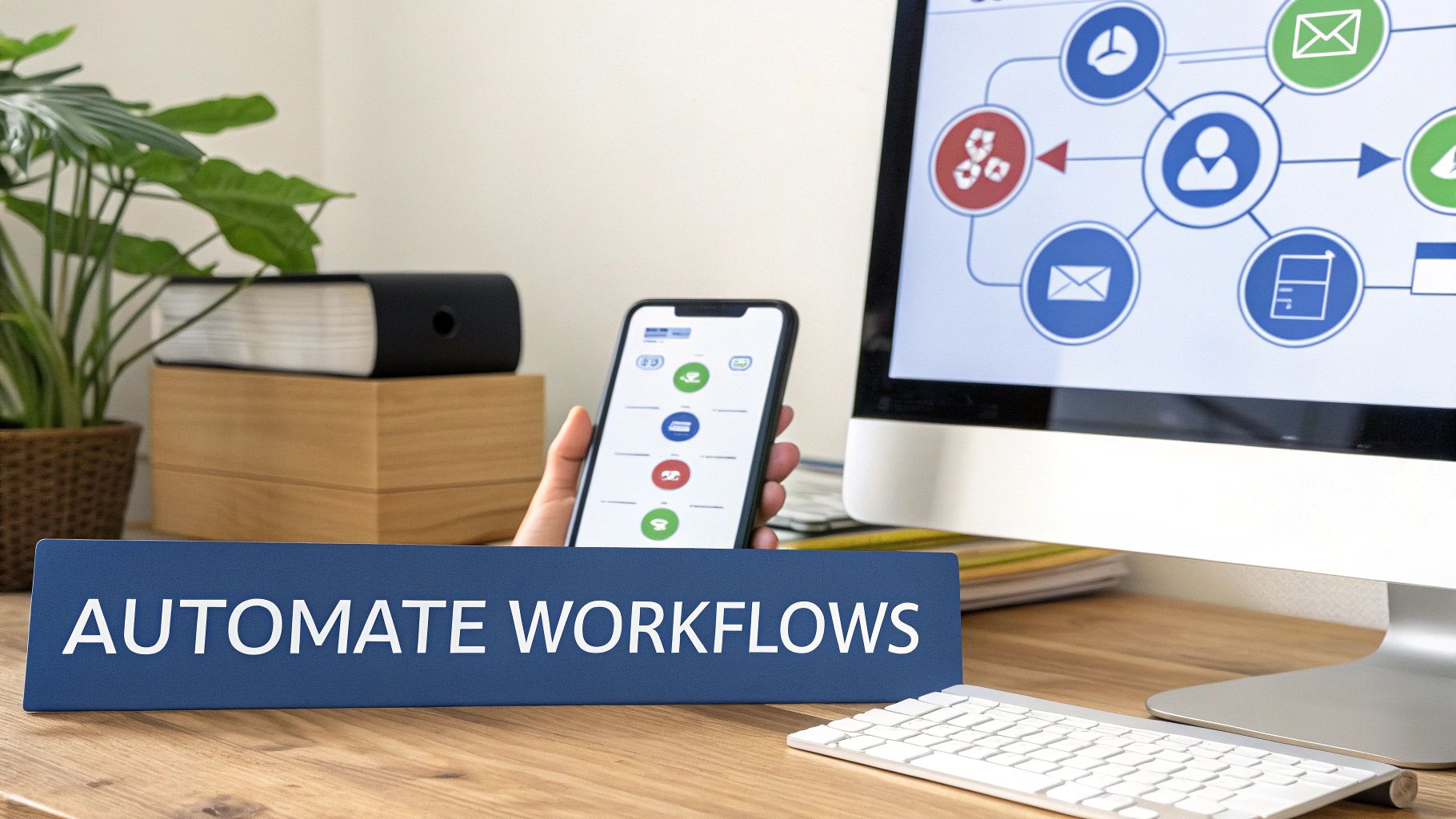
With clean data flowing between Mailchimp and Salesforce, you can now build intelligent automations that drive revenue. This is where your integration becomes a core component of your RevOps strategy, creating a closed-loop system where marketing signals trigger immediate sales activities.
The goal is to eliminate manual handoffs and create a system where every promising lead behavior receives a fast, relevant response from the sales team. This allows a lead's engagement to guide their journey through the sales funnel.
Triggering Nurture Campaigns from Salesforce Updates
One of the most powerful automation plays is linking Mailchimp campaigns directly to field changes in Salesforce. This ensures your marketing messages are always aligned with a contact's position in the buying journey.
For instance, after uploading a list of leads from a trade show into Salesforce, a workflow can instantly add them to a tailored Mailchimp welcome series that references the event. This immediate, contextual follow-up is critical for maintaining momentum.
Here are two proven scenarios:
- Lead Status Changes: When a sales rep changes a Lead’s status from "New" to "Working" in Salesforce, an automation can add them to a mid-funnel Mailchimp nurture stream that delivers case studies and testimonials relevant to their industry.
- Opportunity Stage Advancement: When an Opportunity moves to the "Proposal Sent" stage, the associated contacts can be added to a short campaign that addresses common late-stage questions and reinforces key value propositions.
These automations mean marketing provides crucial support throughout the sales process, not just at the initial handoff. If you need more ideas, it's worth exploring different marketing automation workflow examples.
The key is to map your Mailchimp campaigns to your sales pipeline stages. This alignment turns your email marketing from a standalone activity into an integrated part of the deal-closing process, providing air cover for your sales team at every step.
Turning Mailchimp Engagement into Sales Actions
The data flow must be bi-directional. Just as Salesforce data informs your marketing, Mailchimp engagement data should create concrete, actionable tasks for your sales team directly within their CRM. This is how you capitalize on buying signals in real time.
Consider a contact who has been dormant for months but suddenly clicks the pricing page link in a newsletter. This is a significant signal of renewed interest that cannot be buried in an email report. You need a workflow to act on it immediately.
Here’s a simple but highly effective automation:
- A contact clicks a specific, high-intent link in a Mailchimp email (e.g., "Request a Demo" or "View Pricing").
- That click data syncs to their contact record in Salesforce.
- A Salesforce Flow listens for this specific activity.
- The Flow instantly creates a high-priority "Follow-Up" Task for the lead owner, due today.
This workflow closes the gap between a marketing touch and a sales action from days to minutes, ensuring your team engages prospects when your solution is top-of-mind. For teams seeking greater sophistication, incorporating tools like AI Action for Salesforce Leads can significantly enhance lead qualification and scoring. By automating these critical touchpoints, you build a more responsive and efficient revenue engine.
Keeping Your Integration Healthy: Troubleshooting & Maintenance
A successful integration between Mailchimp and Salesforce requires ongoing oversight. Think of it not as a one-time setup, but as a critical system that needs regular maintenance to perform optimally.
For any RevOps team, this proactive management is what separates a strategic asset from a recurring source of data integrity issues. Common problems, such as a campaign underperforming due to incomplete lead syncing or a sales rep working with outdated information, often develop silently. Early detection is critical.
Staying Ahead of Problems: Proactive Monitoring
Your first line of defense is the sync logs. While both platforms provide logs, the Mailchimp Sync Logs tab within Salesforce offers the most direct view. Make it a routine practice to review this log weekly to identify patterns and catch errors before they escalate.
Based on experience, you will likely encounter one of these three common issues:
- Contacts Not Syncing: This is often due to a permissions issue or a required field mismatch. The Salesforce user who authenticated the integration may have had their profile changed, or a new lead may be missing a value for a required field. Always check user permissions first, then investigate required fields in both systems.
- Mismatched Field Data: If a contact’s
Lead Sourceis "Organic" in Salesforce but "Paid Social" in Mailchimp, it typically indicates that a sync rule is allowing Mailchimp to overwrite your source of truth. Revisit your field mappings to reinforce that Salesforce data takes precedence. - Hitting API Limits: Salesforce imposes a limit on API calls within a 24-hour period. Syncing large lists too frequently can exhaust this limit, causing the integration to pause. To resolve this, either reduce the sync frequency or refine your sync rules to update only records that have changed.
A quarterly audit of your integration is essential. This proactive check-up ensures your data pipeline remains clean, efficient, and aligned with your evolving business processes.
Your Quarterly RevOps Check-Up
Establish a simple, recurring maintenance schedule to ensure your integration evolves with your go-to-market strategy. A systematic review prevents minor issues from accumulating.
Here is a straightforward checklist for a quarterly review:
- Audit Your Field Mappings: Are you syncing legacy fields that are no longer in use? Have new, critical fields been added to Salesforce that marketing needs for segmentation? Regularly add new mappings and remove obsolete ones.
- Refine Your Sync Rules: Evaluate the logic that determines which records are synced. Is a simple checkbox still the most effective method, or would rules based on lead status or lifecycle stage be more efficient? Tightening these rules keeps your Mailchimp audience clean and engaged.
- Review User Permissions: As team members change roles, their access to integration settings in both Salesforce and Mailchimp should be updated. This is a fundamental data governance practice that prevents unauthorized or accidental changes.
- Check for Platform Updates: Both Salesforce and Mailchimp release frequent updates. Stay informed about their release notes, as an API change or a new feature could impact your integration's performance.
By incorporating these practices into your regular RevOps cadence, your Salesforce and Mailchimp connection will remain a reliable engine for growth, not a source of operational friction.
A rock-solid integration is the backbone of any scalable revenue engine. At MarTech Do, we specialize in auditing, building, and optimizing these critical connections between platforms like Salesforce and Mailchimp. If you’re ready to get your tech stack firing on all cylinders, let's talk. You can learn more about our RevOps services.